
Setting up eTrans options
Before you can send claims electronically, you must set up eTrans, and you can test the connection to the eTrans server.
To set up eTrans
From the Report menu, point to Insurance, and then click Electronic Claims.
The Claims Table [Electronic Claims] dialog box appears.
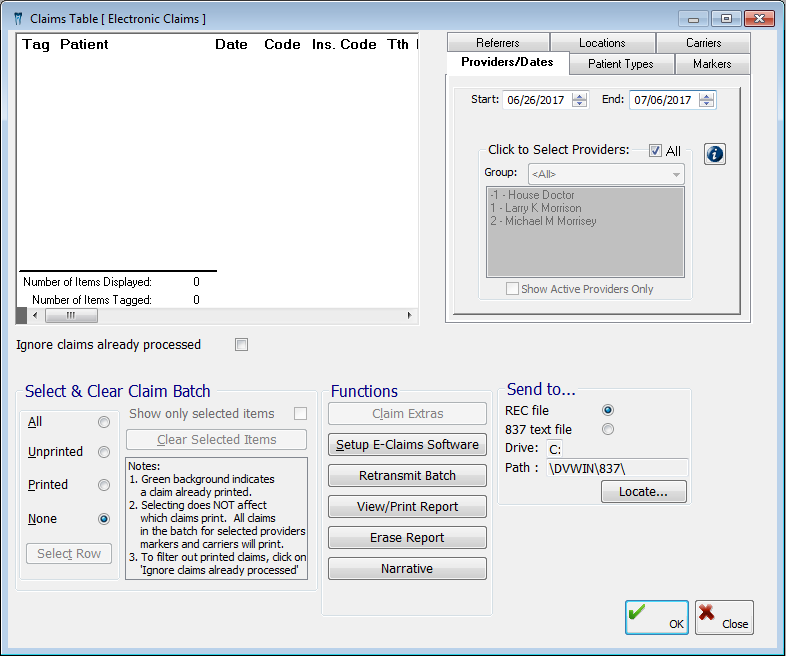
Click Setup E-Claims Software.
The eTrans Setup dialog box appears.
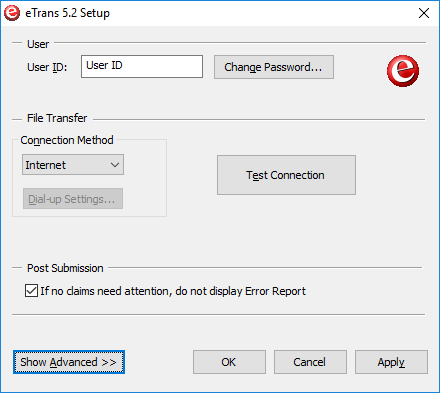
Set up the following options in the eTrans Setup dialog box:
Important: All the setup options are workstation-specific. You must perform the setup on all computers from which you plan to submit e-claims using eTrans.
Click Apply to save your changes without closing the dialog box, or click OK to save your changes and close the dialog box.
Need more help?
You can visit our website or contact OMSVision Customer Support.