Voiding perio exams
You can void a perio exam that was performed more than 48 hours in the past to specify that it was not a valid exam for the corresponding patient. If the exam was done within the past 48 hours, you can delete it. However, you cannot delete or void a perio exam that is attached to a claim.
To void a perio exam
-
If the correct patient is not already selected, use the Patient Search box to access the patient's record.

-
On the Patient menu, under Clinical, select Perio.
The patient's clinical record opens with the Perio tab selected.
-
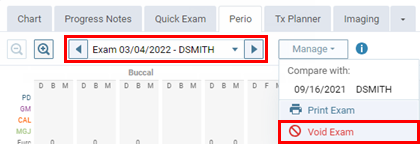
Select an exam.
-
On the Manage menu, select Void Exam.
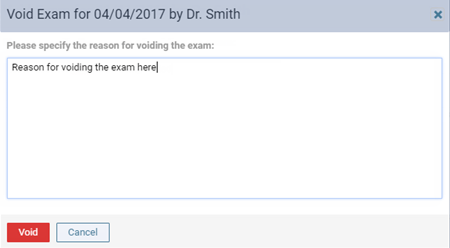
The Void Exam dialog box appears.
-
Enter the reason that you are voiding the exam, and then click (or tap) Void.