Viewing a patient's claim history
You can view the claim history of a patient.
To view a patient's claim history
-
If the correct patient is not already selected, use the Patient Search box to access the patient's record.

-
On the Patient menu, under Insurance, select Insurance Claims.
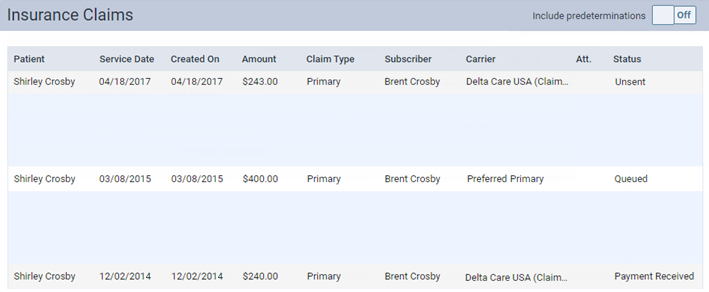
The patient's Insurance Claims page opens and lists all the claims that were created for the patient.
Notes:
-
To include predeterminations in the list, set the Include predeterminations switch to On. To stop including predeterminations, set the switch back to Off.
-
A claim can have any of the following statuses: Unsent, Sent, Zero Payment, Rejected by eServices, Rejected by Payer, Unprocessable Claim, Accepted, Additional Info Requested, Queued.
-
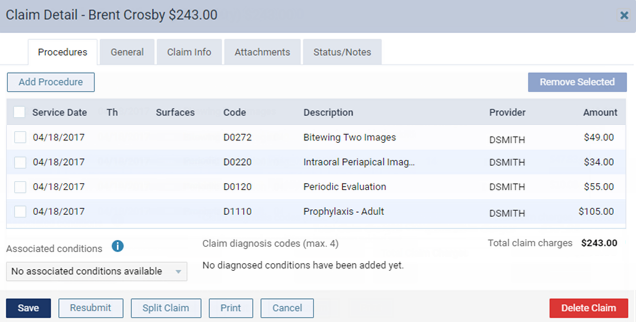
Click (or tap) any claim to view the details of and attachments that are included with that claim.
-