Inactivating or reactivating medications
Since you cannot delete a medication that is attached to any patients, you can inactivate a medication that is no longer needed to prevent it from being attached to patients anymore. Inactivating a medication does not affect patients that have that medication attached to their records.
Additionally, you can reactivate a medication that was inactivated previously.
To inactivate or reactivate a medication
-
On the Settings menu, under Patient Care, click (or tap) Medical Alerts & Medications.
The Medical Alerts & Medications Library page opens.
-
Under Available Medical Alerts/Medications, begin typing a medication name in the search box, continue typing as needed to narrow the search results list, and then select a medication. Alternatively, you can locate and select a medication in the Medications list.
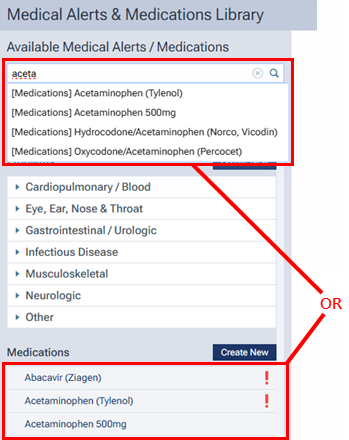
The options for editing the medication become available.
-
Do one of the following:
-
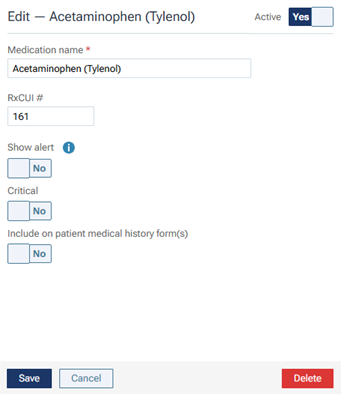
To inactivate the medication if it is active, set the Active switch to No. The medication will no longer be available for selection when you are attaching medications to patients.
-
To reactivate the medication if it is inactive, set the Active switch to Yes. The medication will now be available for you to attach to patients.
-
-
Click (or tap) Save.