Backdating coverage start dates for patients
You can backdate the start date of a patient's insurance coverage if, for instance, the patient provides you with his or her insurance information after his or her visit.
Note: Backdating the start date of a patient's insurance coverage requires the "Edit Ins. Plan for Patient" security right.
To backdate the start date of a patient's insurance coverage
-
Do one of the following:
-
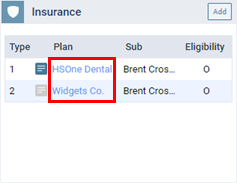
On a patient's Overview page, the Insurance box displays the patient's insurance plans. Click (or tap) an insurance Plan link.
-
On a patient's Insurance Information page, select an insurance plan.
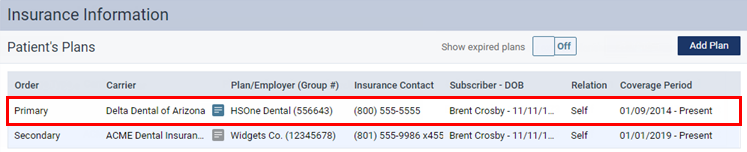
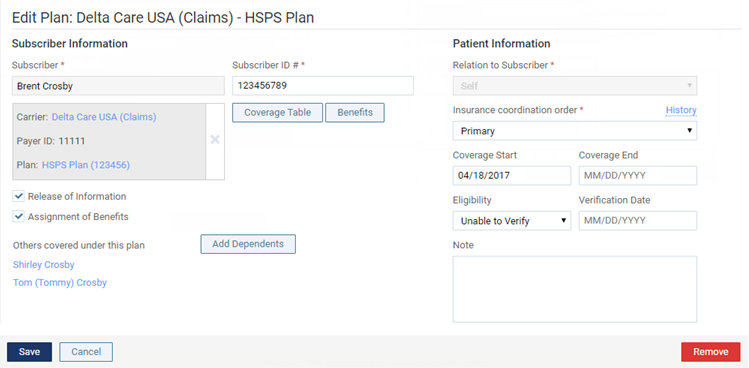
The options for editing insurance information become available.
-
-
Change the Coverage Start date to reflect the correct date.
Notes:
-
For a secondary insurance plan, the start date cannot be earlier than the start date of the patient's primary insurance plan.
-
You cannot save a change in the coverage period if doing so would cause an outstanding claim not to be inside that coverage period. You must resolve the claim before you can change the coverage period.
-
-
Click (or tap) Save.