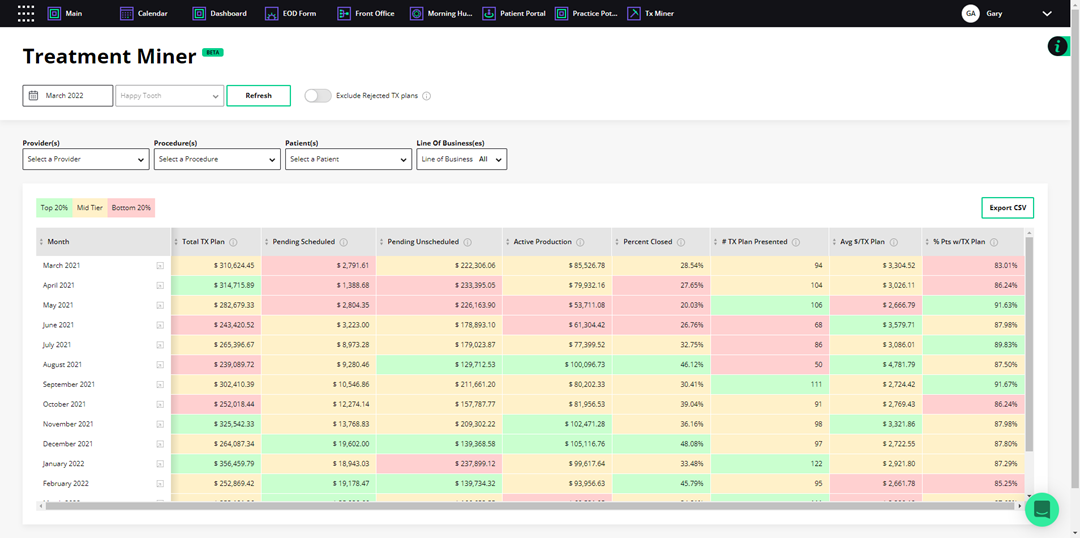
You can use the Treatment Miner to identify unscheduled treatment and missed opportunities and to measure case acceptance success. You can set filters to sort treatment plans by provider, procedure, patient, and line of business to target patient appointments and patients for a specific provider or to identify which patients to target for a marketing campaign.
To sort treatment plans by procedure
1. Open Jarvis Analytics, and then click the Tx Miner tab.
The Treatment Miner screen appears.
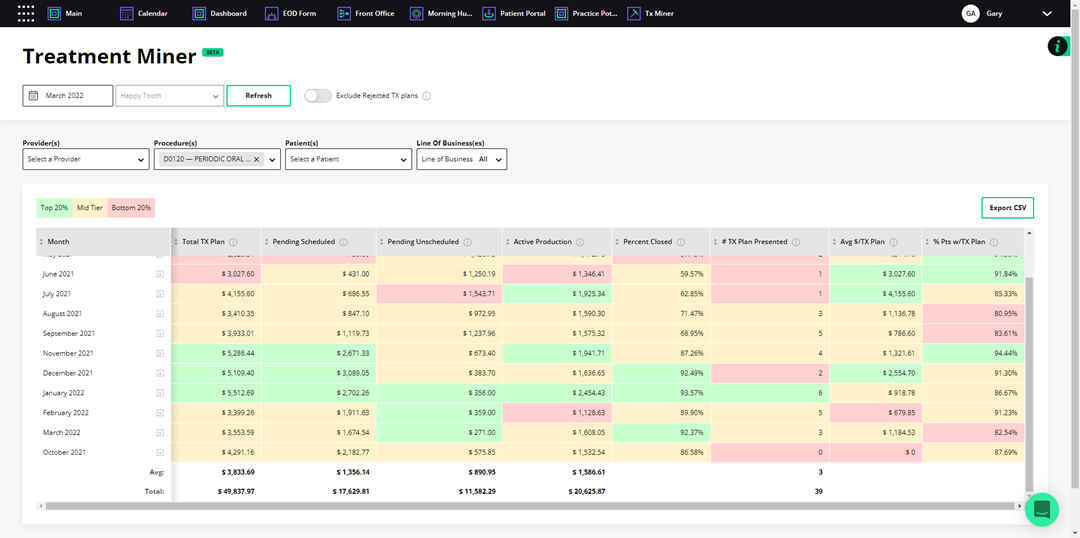
2. To sort the Treatment Miner by procedure, select the desired procedure or procedures from the Procedure(s) list.
A breakdown of the selected procedure appears.
Note: To remove the selected procedure, click the X icon. To add another procedure, select the desired procedure from the list.
3. To view a definition of the column data, hover your mouse pointer over the Info icon.
4. To exclude rejected treatment plans from the provider's treatment plan data, click the Exclude Rejected TX Plans slider.
5. To view a breakdown of a selected month, click the More Info icon to the right of that month.
A breakdown of the selected month's procedure code data appears.
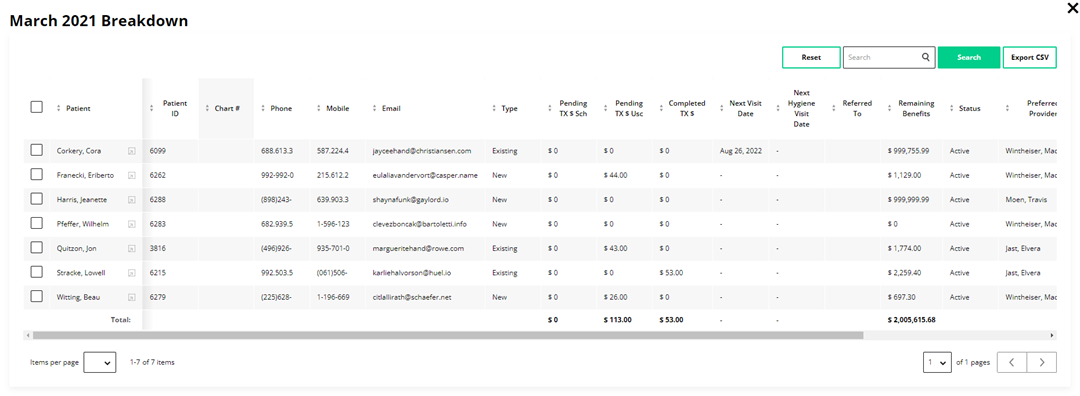
6. To view a patient's contact and other information, click the More Info icon to the right of the patient's name.
7. To export the data to a spreadsheet as a comma-separated values file, click Export CSV.