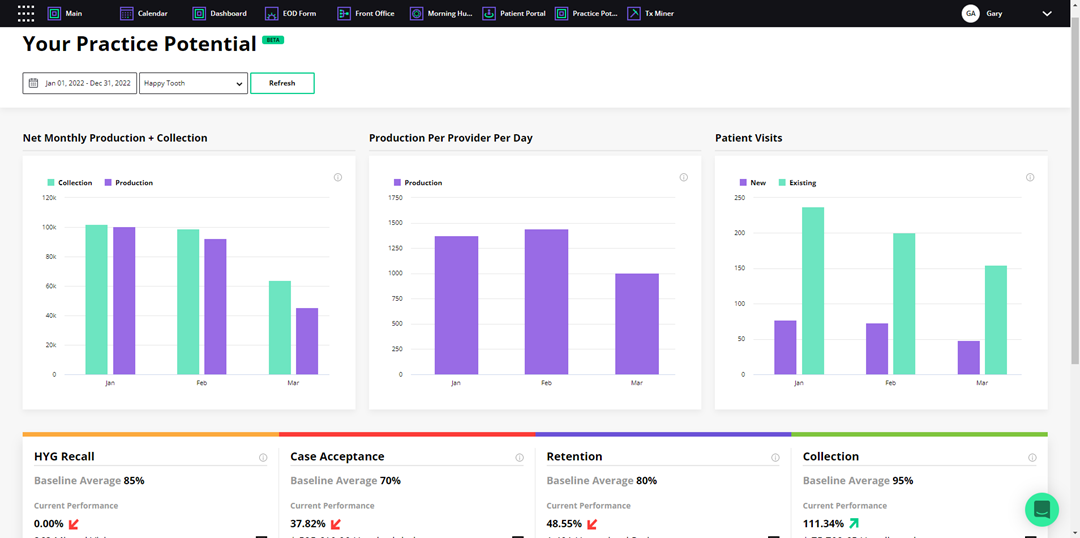
You can use the Practice Potential module to show potential revenue opportunities in three key areas: Hygiene Recall, Case Acceptance, and Patient Retention.
To break down patient retention data
1. Open Jarvis Analytics, and then click the Practice Potential tab.
The Your Practice Potential screen appears.
Note: The first tables display the key practice metrics per month: Net Monthly Production and Collection, Production Per Provider Per Day, and Patient Visits.
2. Go
to Retention, and then click the
View patient retention breakdown icon  .
.
The Patient Retention table appears.
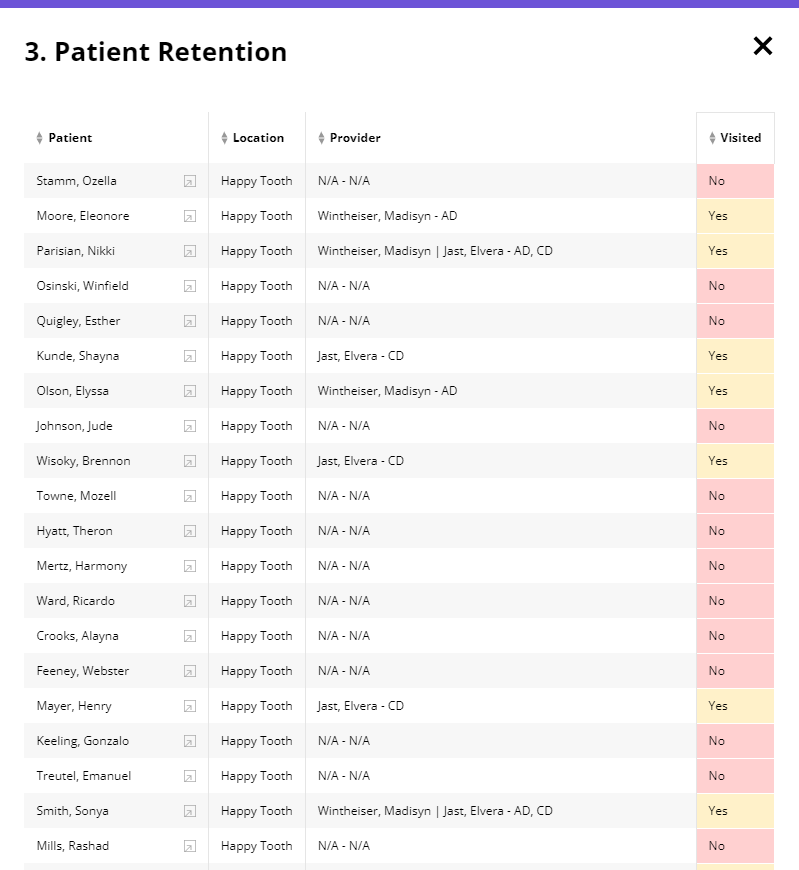
3. To view more about a patient, click the More Info icon to the right of the desired patient's name.
The Patient Information screen appears.
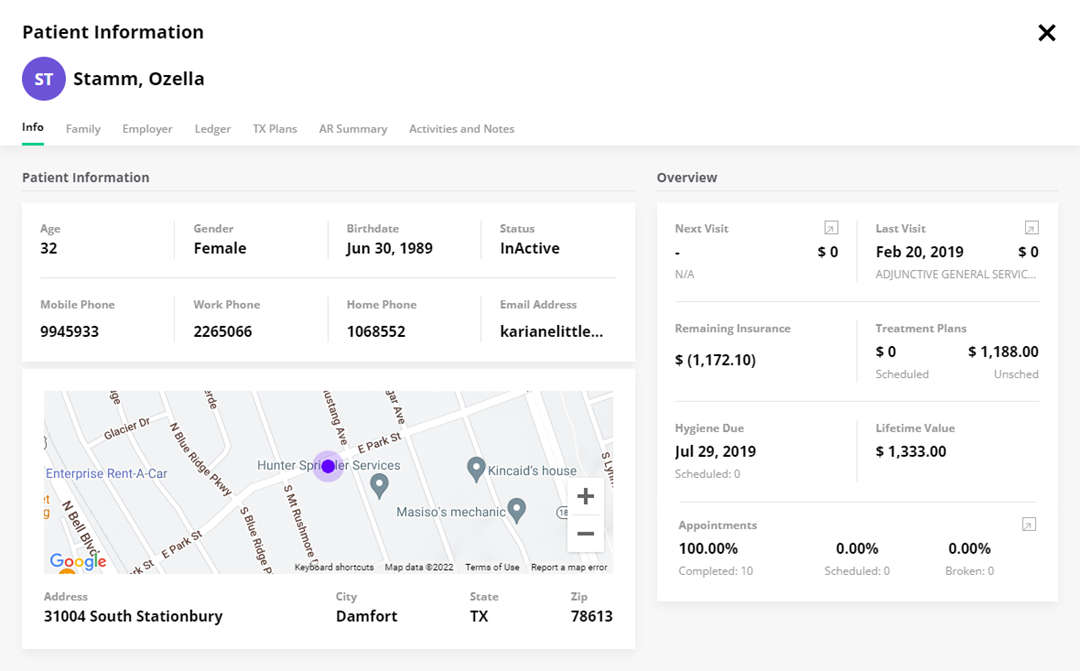
4. To view more information about the patient, click the following tabs:
· Family – Lists members of the patient's family.
· Employer – Lists the patient's employer, insurance group number, and group name.
· Ledger – Lists the patient's ledger entries, including procedure codes and descriptions, tooth , surface, amount, amount, and date.
· TX Plans – Lists the patient's treatment plans.
· AR Summary – Lists patient's account receivables.
· Activities and Notes – Add a note.