
You can view and manage report templates that have been created.
To view report templates
In DXOne Reporting, on the Template menu, click Manage Report Filter Template.
The Manage Report Filter Templates dialog box appears.
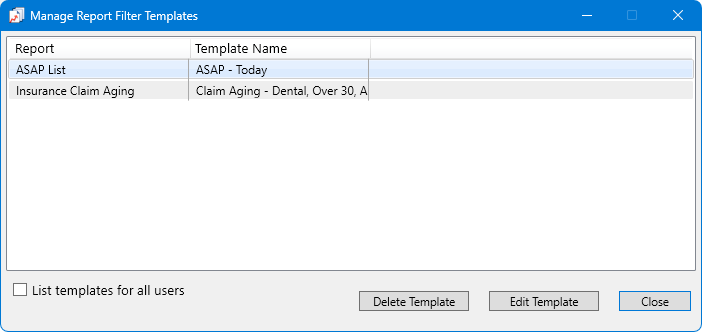
Note: For each report template in the list, the following information appears: the report name and the template name.
Select or clear the List templates for all users checkbox as needed.
With this checkbox selected, the dialog box lists the templates that have been created by you and all other user. Also, a User Id column appears; for each report template, the ID of the user that created it appears in this column.
With this checkbox clear, the dialog box lists only the templates that have been created by you (the user that is currently logged in).
Notes:
The List templates for all users checkbox is available only if your user account has been granted the "Scheduled Jobs - Manage All Users" security right for reports.
When the Manage Report Filter Templates dialog box is closed, the state of the List templates for all users checkbox is saved for the next time the dialog box is opened.