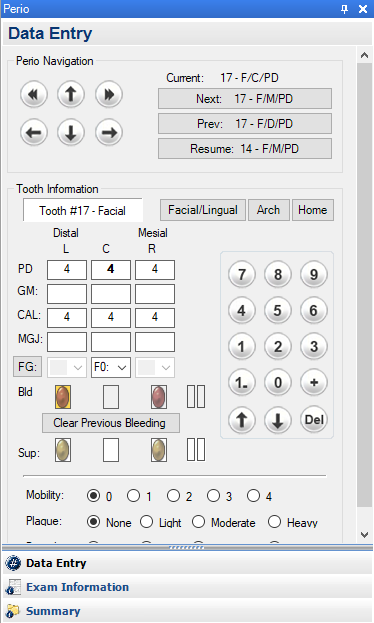
The Perio panel consists of the following:
Data Entry section – Contains the Perio Navigation and Tooth Information controls and allows you to enter data from periodontal exams. The Data Entry section is the default view of the Perio panel.
Exam Information section – Use to enter perio exam notes, periodontal diseases and conditions, and patient and/or perio statuses. Provides an overview of a patient’s overall periodontal health, and you can use the American Academy of Periodontology (AAP) Periodontal Classifications to better diagnose and treat periodontitis.
Summary section – Provides a summary of periodontal information, including perio condition, probing depths, clinical attachment level, average probing depth, and lowest probing depth for a selected patient.
Configure Buttons toolbar – Contains a menu consisting of four options and three buttons that allow you to configure how the Perio panel appears.
You can also view, hide, dock, undock, or move the Perio panel.