

|

Setting up Dentrix Pay
Once you have registered with Moneris and activated your practice and have, in turn, enabled and set up Dentrix Pay in the Office Manager, you can then set up Dentrix Pay in the Ledger.
To set up Dentrix Pay
1. With a patient selected in the Ledger, in the menu, click Transaction, and then click Enter Payment.
The Enter Payment dialog box appears.
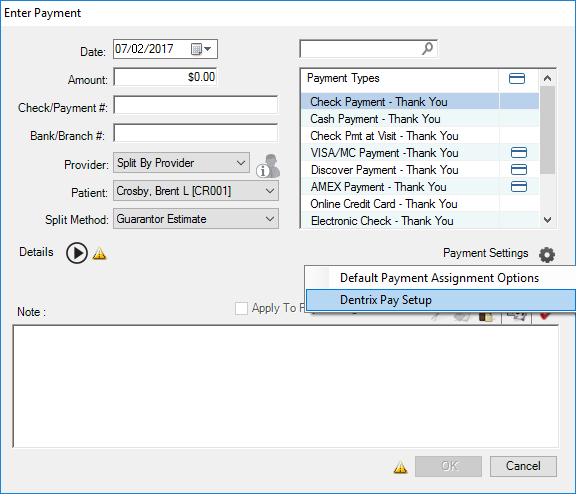
2. Click Payment Settings, and then click Dentrix Pay Setup.
3. Click OK.
You can now process credit card payments.