
After creating a future due payment plan, you can later add a payment plan charge to the patient's Ledger.
To post a charge manually to a payment plan
1. Select a patient.
2. From the Transaction menu in the Ledger, click Process Future Due Payment Plan.
The Select Payment Plan dialog box appears.
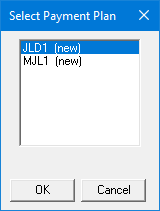
3. Select the appropriate payment plan from the list, and then click OK.
The Payment Plan dialog box appears.
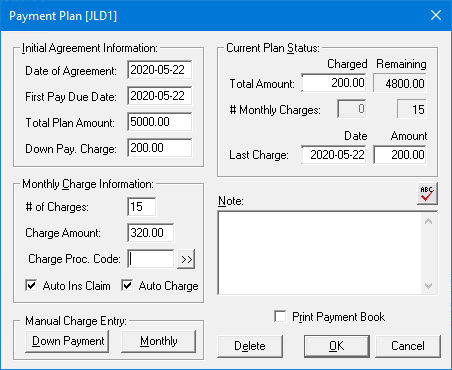
4. Under Manual Charge Entry, click Monthly.
The Monthly Charge dialog box appears.
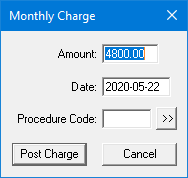
5. Type the Amount and Date of the charge.
6. If necessary, click the Procedure Code button, and from the Procedure Codes dialog box, select the code appropriate to posting the charge.
7. To post the charge and return to the Ledger, click Post Charge, and then click OK.