Viewing the patient forms history for a patient
Dentrix Ascend automatically saves each completed patient form in the corresponding patient's record.
To view the patient forms history for a patient
-
If the correct patient is not already selected, use the Patient Search box to access the patient's record.

-
Do one of the following:
-
If the patient's Overview page is not already open, on the Patient menu, under General, select Overview. The patient's Overview page opens. Click (or tap) the title bar (at the top) of the Patient Forms box.
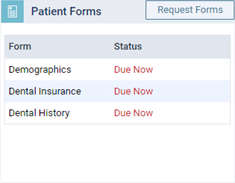
The patient's Patient Information page opens with Patient Forms selected on the navigation panel (on the left).
-
On the Patient menu, under General, select Patient Information. The patient's Patient Information page opens. Select Patient Forms on the navigation panel (on the left).
The patient forms that are associated with the patient's record appear.
-