Viewing a patient's ledger
Transactions appear on a patient's ledger.
To view a patient's ledger
-
If the correct patient is not already selected, use the Patient Search box to access the patient's record.

-
Do one of the following:
-
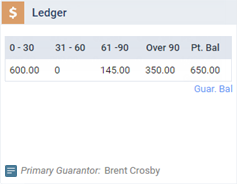
If the patient's Overview page is not already open, on the Patient menu, under General, select Overview. The patient's Overview page opens. Click (or tap) the Ledger box.
-
On the Patient menu, under Financial, select Ledger.
The patient's Ledger page opens.
-
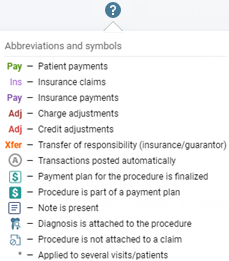
Note: To view a legend of the various colors and symbols that the ledger implements, click (or tap) the question mark icon.