Splitting claims
You can split an unpaid primary claim. When you split a claim, you remove some of the procedures from the original claim and create a new claim for those procedures. Splitting a claim becomes necessary in certain situations, such as when a claim has too many attachments and/or diagnosis codes or when an insurance carrier pays for only some of the procedures on a claim.
Note: Splitting claims requires the "Edit Insurance Claims" security right.
To split a claim
-
Do one of the following:
-
On the Sent Claims page, click (or tap) a primary claim that has not been paid and has multiple procedures.
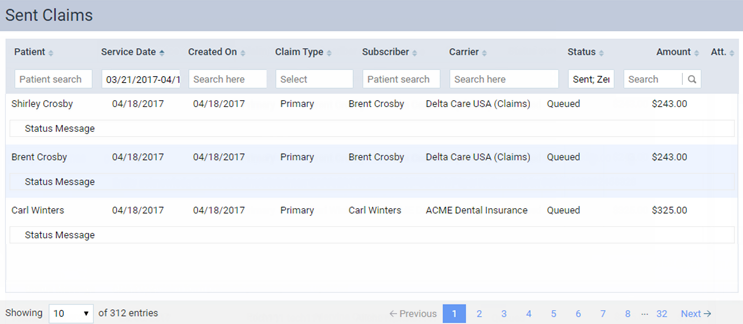
Note: Claims are sorted by their dates of service (oldest to most recent).
-
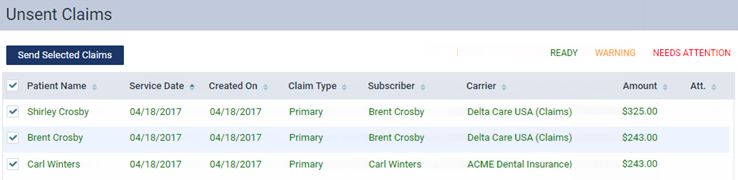
On the Unsent Claims page, click (or tap) a primary claim that has multiple procedures.
-
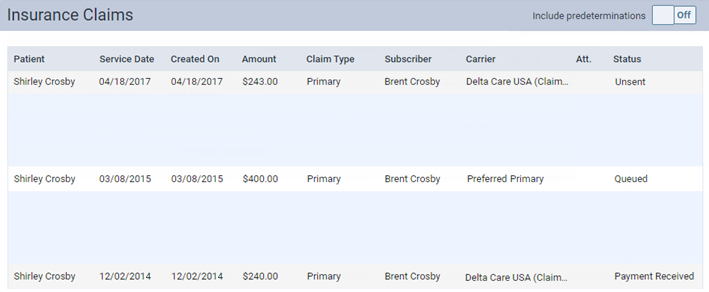
On a patient's Insurance Claims page, click (or tap) a primary claim that has not been paid and has multiple procedures.
-
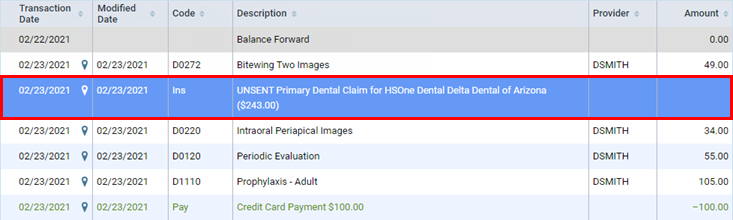
On a patient's Ledger page, click (or tap) a primary claim that has not been paid and has multiple procedures.
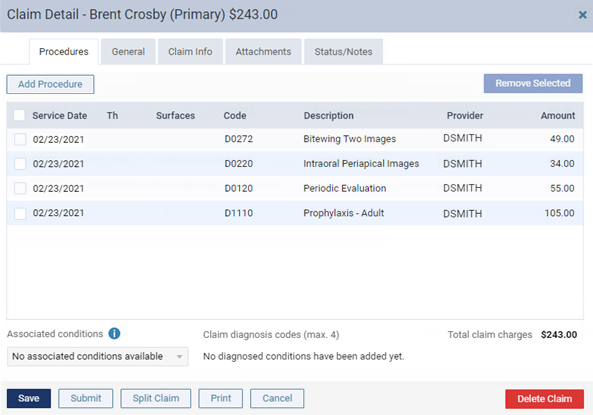
The Claim Detail dialog box appears.
-
-
Click (or tap) Split Claim. This button is available only if the claim is a primary claim, has not been paid, and has at least two procedures attached. Also, if the PPO write-offs setting is turned on, and write-offs have been posted for the claim, you must delete the write-offs before the Split Claim button will become available.
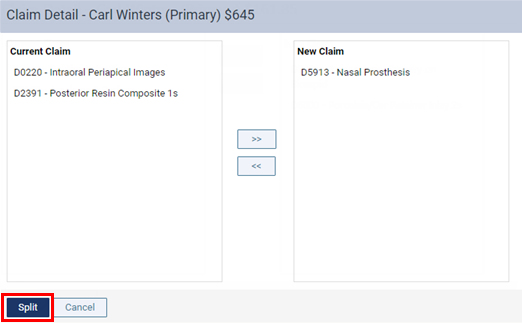
The split options become available.
-
For each procedure you want to move to the new claim, select that procedure in the Current Claim list box, click (or tap) the Move Right (>>) button. To move a procedure back onto the current claim, select that procedure in the New Claim list box, and then click (or tap) the Move Left (<<) button. You must leave at least one procedure in the Current Claim list box.
-
Click (or tap) Split. This button is available only if there is at least one procedure in the Current Claim list box and at least one in the New Claim list box.
The status of the original claim remains unchanged. The new claim has a status of Unsent. Also, any attachments on the original claim are added to the new claim.