Removing a patient's recare
You can remove a recare that is attached to a patient's record as needed.
To remove a patient's recare
-
If the correct patient is not already selected, use the Patient Search box to access the patient's record.

-
On the Patient menu, under General, select Recare.
The patient's Recare page opens.
-
Select a recare type.
Note: Primary recare types are bold for quick identification.
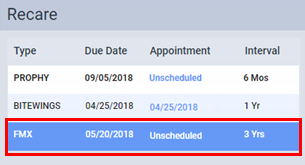
The options for editing the recare type become available.
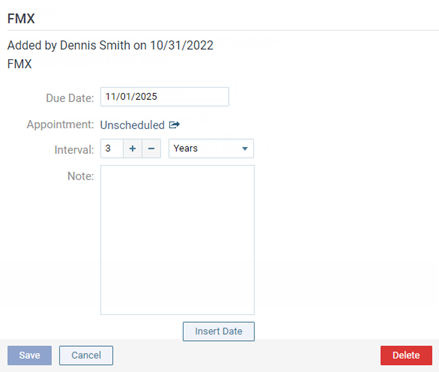
-
Click (or tap) Delete.
A confirmation message appears.
-
Click (or tap) Delete.