Deleting patient forms
You can delete patient forms as needed.
To delete a patient form
-
On the Settings menu, under Patient Care, select Form Builder.
The Patient Forms page opens on a new browser tab.
-
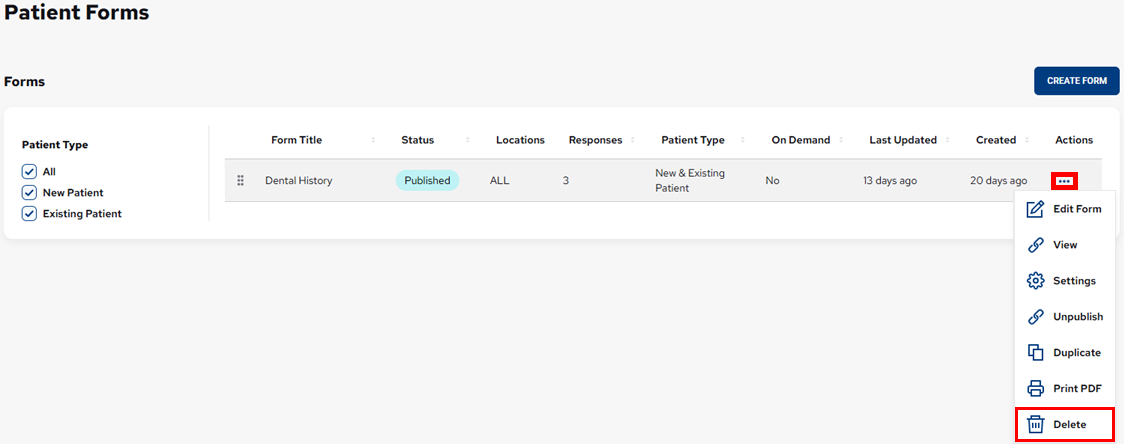
In the Actions column, click (or tap) the ellipsis of the form that you want to delete to view a menu, and then select Delete.
Notes:
-
You can filter the list of forms by their assigned patient types. Under Patient Type (on the left), either select All, or select New Patient or Existing Patient.
-
If there are more than 20 forms total, the list is divided into separate pages with 20 forms per page. You can use the page navigation buttons that appear (in the lower-right corner) to navigate between the pages.

A confirmation message appears.
-
-
Click (or tap) Confirm.