Changing the default enhancement for Simple Mode acquisitions
If you are using the Modality view, you can select a default enhancement for Simple Mode acquisitions of intraoral X-ray series.
To change the default enhancement
-
With the Intraoral X-ray tab selected, click (or tap) the More Options button (three vertical dots):
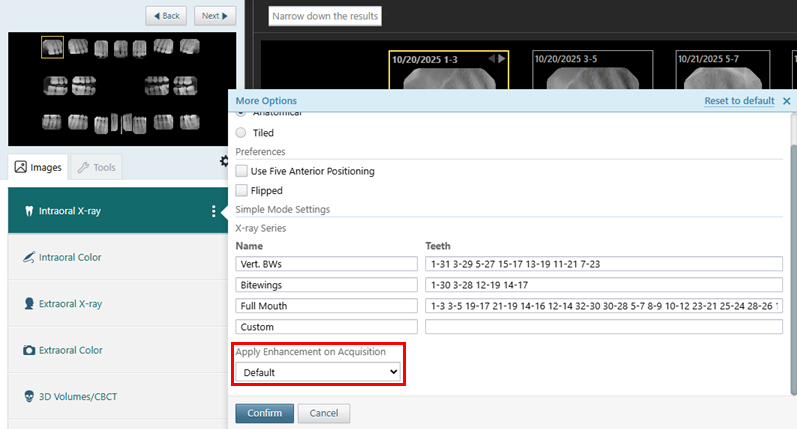
-
From the Apply Enhancement on Acquisition list, select the enhancement that you want to have applied to images by default.
-
Click (or tap) Confirm.