
You can hide or display the Perio panel. The panel appears in the Perio Chart by default.
To hide the Perio panel
Right-click the title bar, and then click Hide.
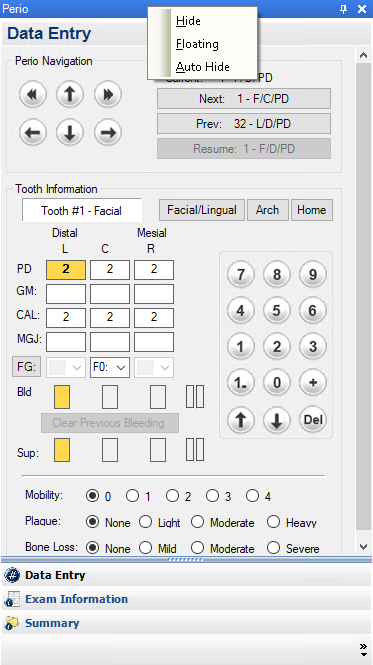
Note: You can also auto-hide the Perio panel. You can use this option to expand the Data Chart over the area the Perio panel normally occupies. See Auto-hiding the Perio panel.
To display the Perio panel once it has been hidden
In the Perio Chart, click View, and then click Perio Panel.