

Dentrix includes the tools you need to record which of your patients refer new patients to your practice. This information is essential to help you determine the most effective method for growing your practice. You can also determine whether to compensate patients who make referrals with a gratuity.
Note: You must first add a new family account for a new patient before you can record who referred the new patient to your practice.
To add a referral from a patient
1. With the new patient selected, in the Family File, double-click the Referred By card.
The Patient Referrals dialog box appears.
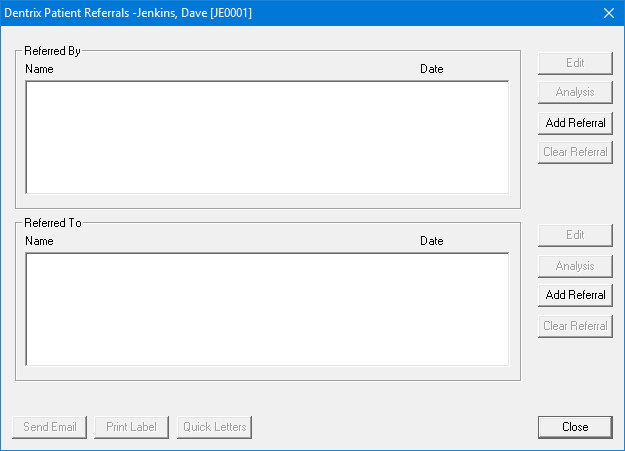
2. In the Referred By area, click Add Referral.
The Select Referral Type dialog box appears.
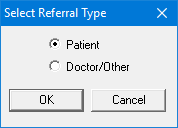
3. Select Patient.
Note: To add a referral from another provider or a source, such as an advertisement, please refer to Adding referrals from outside sources.
The Select Patient dialog box appears.
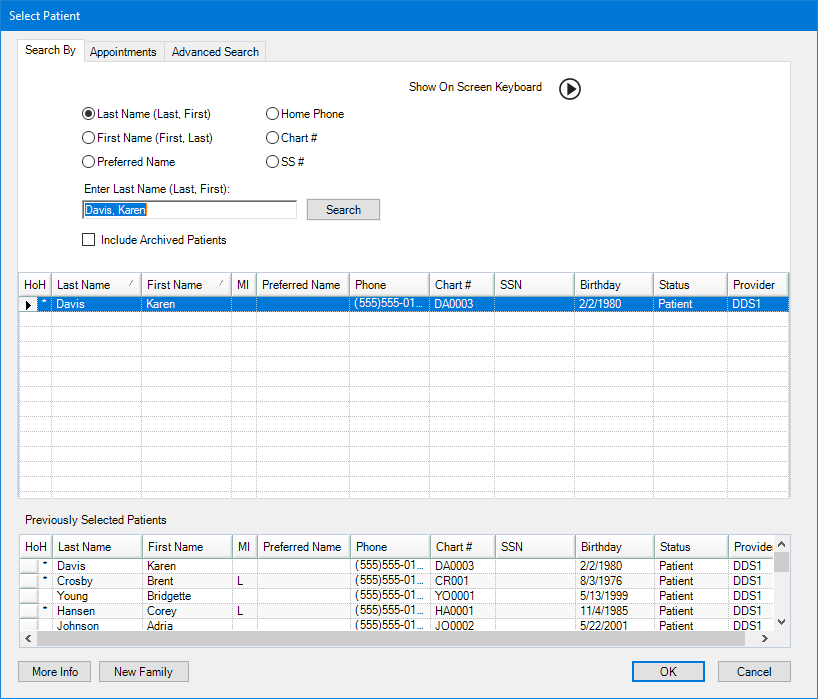
Note: If you cannot find the referral source’s name, first check the spelling. If you still cannot locate the source’s name, you have not created a family account for the referral source in the Family File, or the source is not one of your patients.
4. Select the patient who referred the new patient, and then click OK.
The name of the patient who referred the new patient appears in the Patient Referrals dialog box.
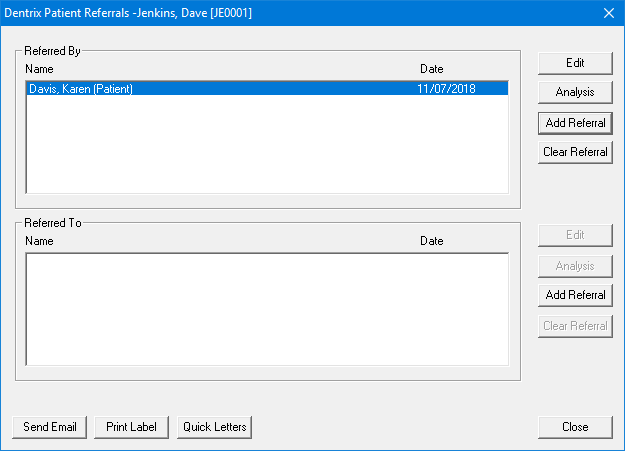
5. Click Close.
The patient who made the referral is added to the Referred By block in the Family File window.