
Deleting CPT codes
You can delete medical billing codes that are no longer needed. This does not affect procedures already cross-coded.
To delete a CPT code
From the File menu, point to Codes and Lists > Medical Codes, and then click Procedure (CPT) Codes.
The CPT (Medical Procedure) Code Table window appears.
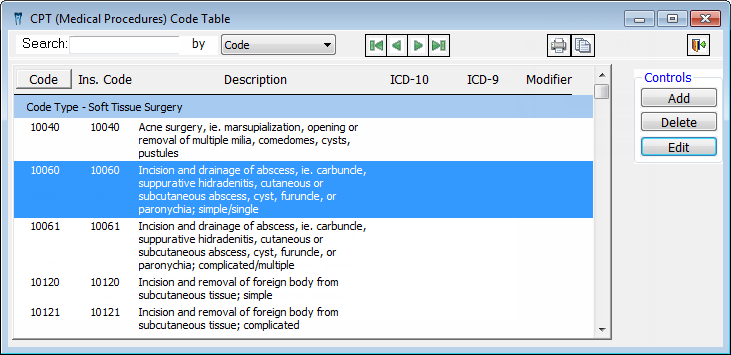
Select a CPT code.
Tip: To quickly locate a CPT code, select whether you want to search by code or description, and then begin typing a code or description in the Search field. The first matching CPT code is selected in the list.
Click Delete.
A confirmation message appears.
Click Yes.
Need more help?
You can visit our website or contact OMSVision Customer Support.