
Adding and editing referrer list items
To track information, such as gratuities, for a referrer, you can create list items and attach them to referrers as needed. Then, run a report to track them.
To add or edit a referrer list item
From the File menu, point to Codes and Lists > Referrals, and then click List.
The List Table window appears.
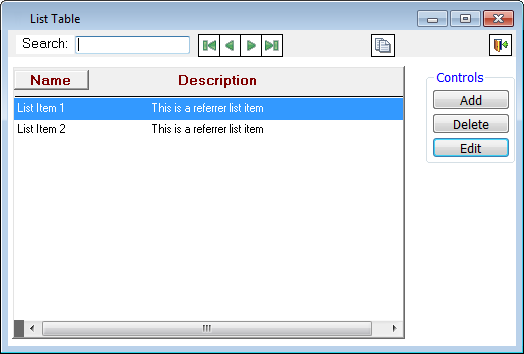
Do one of the following:
To add a list item, click Add.
To edit an existing list item, select a list item, and then click Edit.
The Edit List dialog box appears.
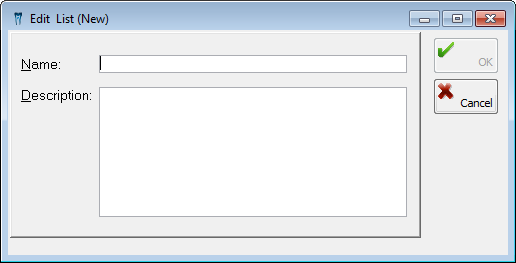
Set up the following options:
Name - Type a name for the list item.
Description - Type a description of the reason for or the usage of this item.
Note: The description is for your reference only and does not appear anywhere else in the program.
Click OK.
Need more help?
You can visit our website or contact OMSVision Customer Support.