
Virtual Scan Form preferences
You can set up the preferences for Virtual Scan Forms.
To set up the preferences
From the Utilities menu, click Preferences.
The Preferences dialog box appears.
On the Operation tab, under Virtual Scan Forms, set up the following options:
Letters: when posting a form...pause at Word Processor - don't print automatically - Select this check box if you want any letters to be opened in the word processor for review or editing after you post a Virtual Scan Form, instead of generating a print preview automatically.
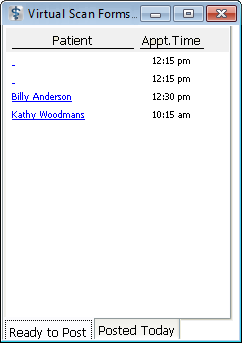
This station is receiver of routed forms - Select this check box if you want this computer to be notified when Virtual Scan Forms are routed. The computers are notified of routed forms in the Virtual Scan Form Forms Console dialog box, which can be closed temporarily and minimized. This dialog box will only appear on computers that have This station is receiver of routed forms selected.
In the Restrict editing of routed forms below what security level box, enter the minimum user level required to edit routed Virtual Scan Forms.
Click Ok.
Need more help?
You can visit our website or contact OMSVision Customer Support.