
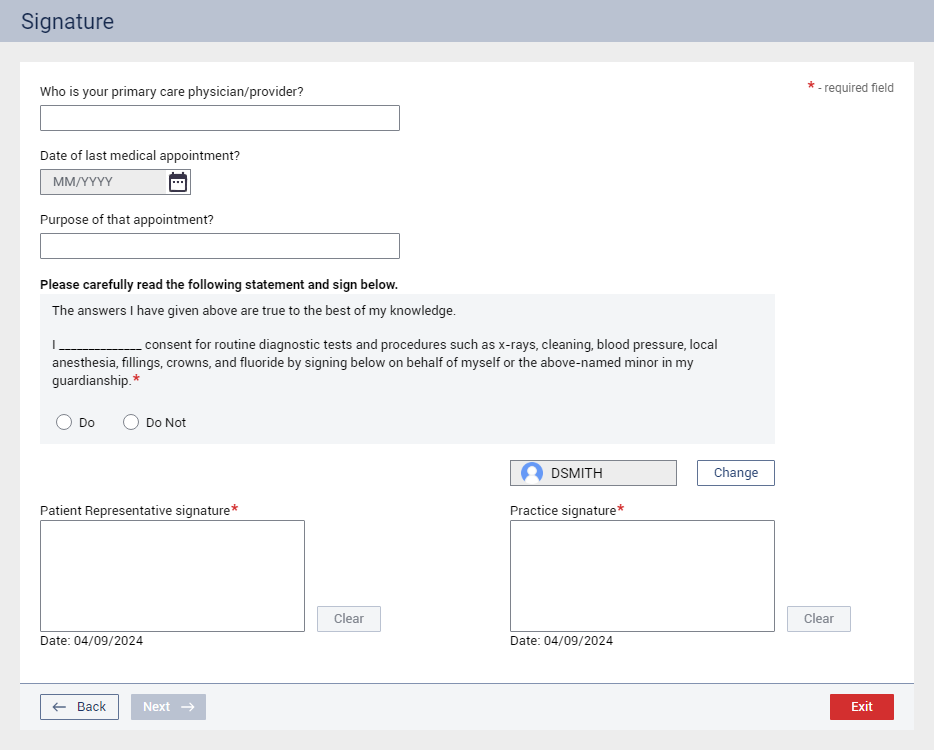
Complete the following steps:
Optionally, answer the following questions:
Who is your primary care physician/provider? – Enter a name.
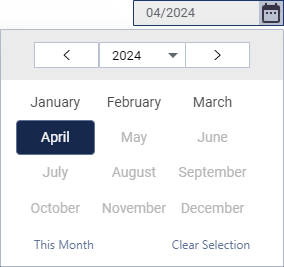
Date of last medical appointment? – Click the calendar icon to select a year and month.
Purpose of that appointment? – Enter the reason.
Under Please carefully read the following statement and sign below, select the Do or Do Not option to acknowledge the statement and provide consent.
Note: This question is available only if the Require patient signature checkbox (in the Visit Information section) is selected.
In the Patient Representative signature box, the patient or guardian signs using a mouse.
Notes:
This signature box is available only if the Require patient signature checkbox (in the Visit Information section) is selected.
You can click Clear to remove the signature and re-sign.
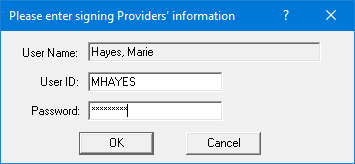
If you are not logged in as the provider for the visit, optionally, click Change to have that provider enter his or her credentials.
In the Practice signature box, a provider or staff member signs using a mouse.
Note: You can click Clear to remove the signature and re-sign.