
This guide provides information about the new software release. This guide includes a brief description of the new features and enhancements available in this release and instructions on how to use the new features and enhancements.
Notes:
For a complete list of features and fixes in this Dentrix Enterprise release, refer to the release notes.
Before installing or upgrading Dentrix Enterprise, make sure your computers comply with the latest system requirements.
According to Microsoft, mainstream support for Windows Server 2019 ended on January 9, 2024. Currently, Henry Schein One still provides support for Dentrix Enterprise on Windows Server 2019 as indicated in the system requirements.
This release includes the following new features and enhancements:
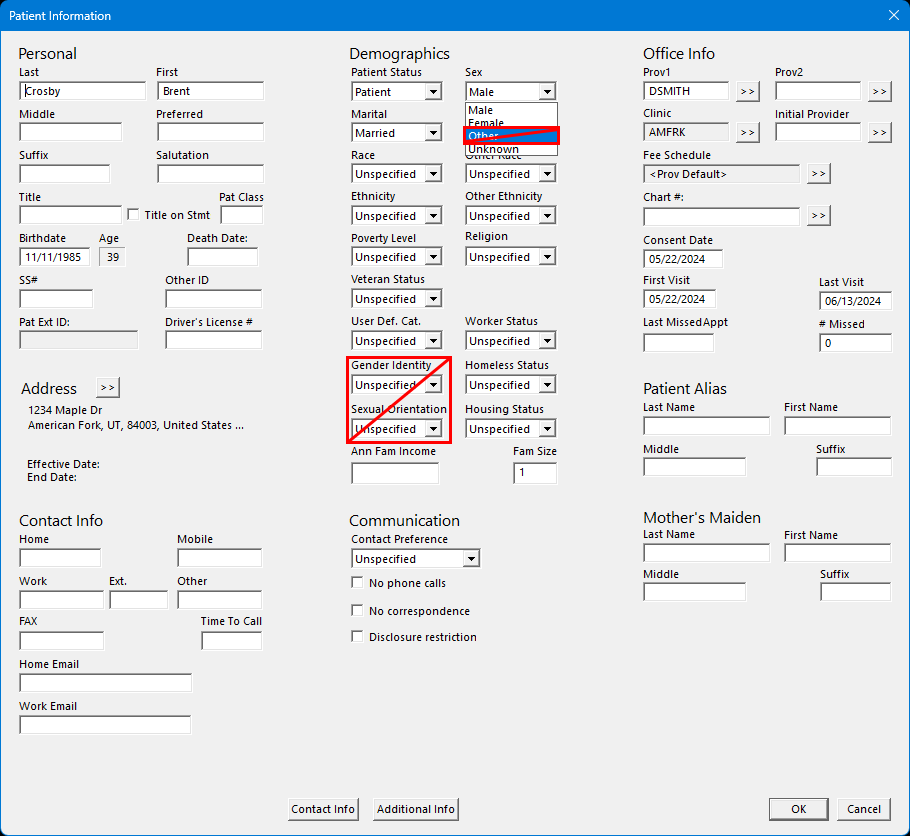
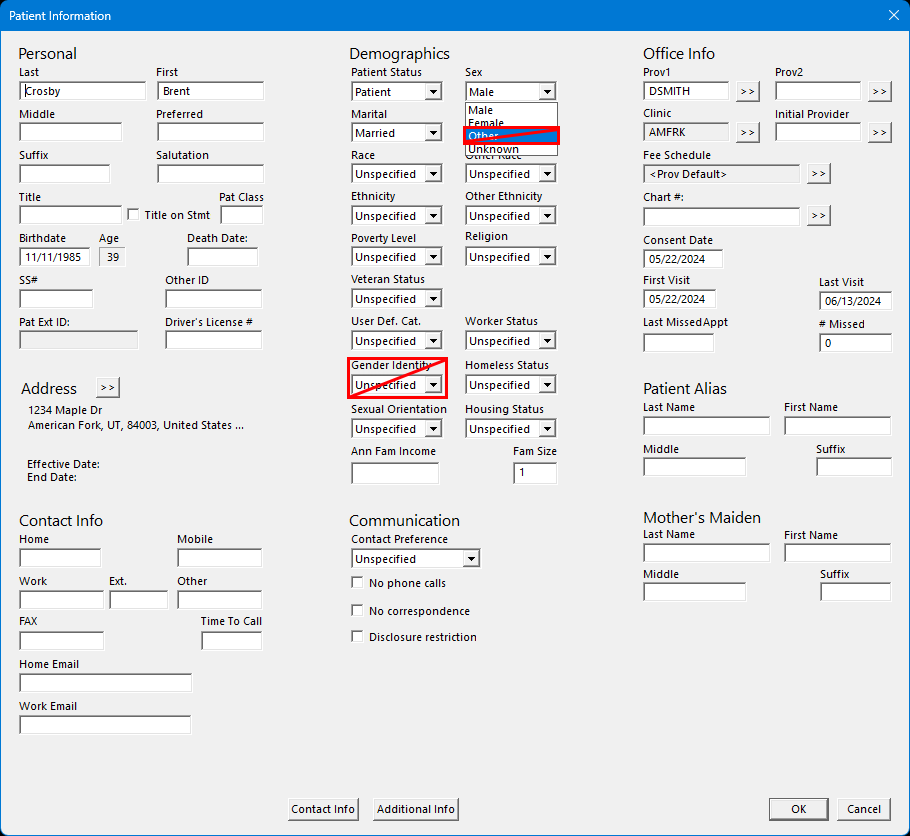
Patient Information - (For military facilities only) In the Patient Information dialog box, the Gender Identity and Sexual Orientation lists are longer available. Also, the Other option is no longer available in the Sex list.
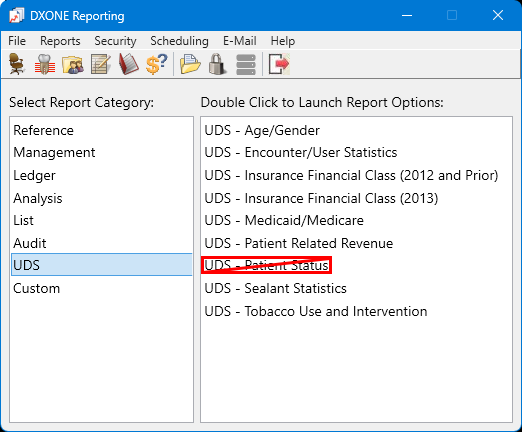
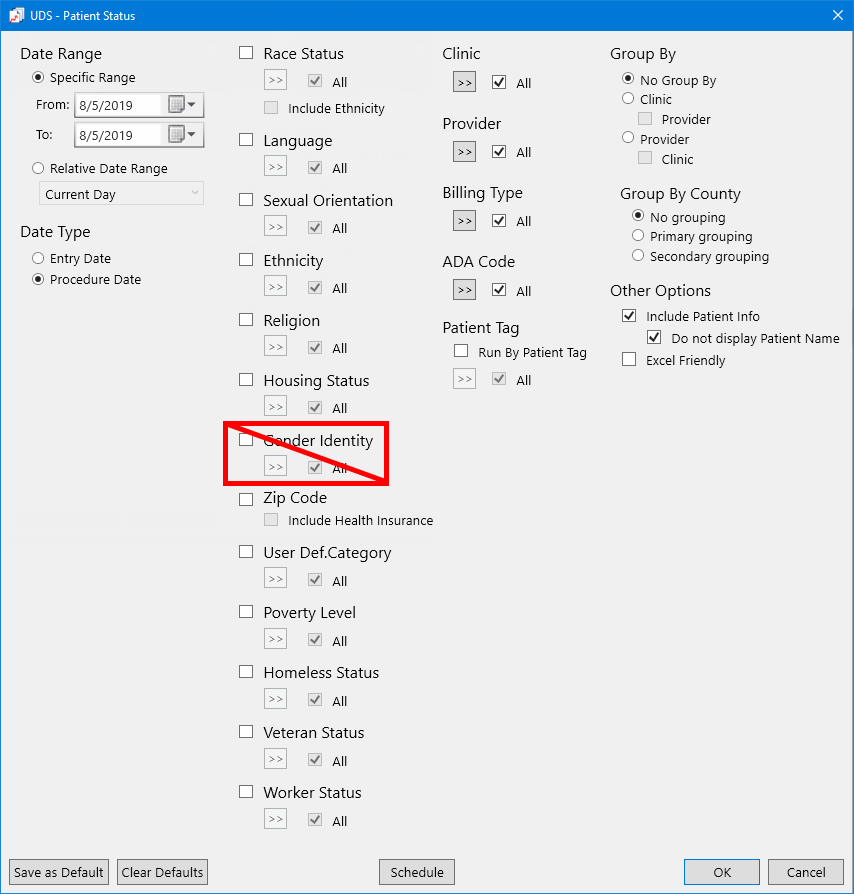
UDS - Patient Status Report - (For military facilities only) In DXOne Reporting, the UDS - Patient Status Report is no longer available.
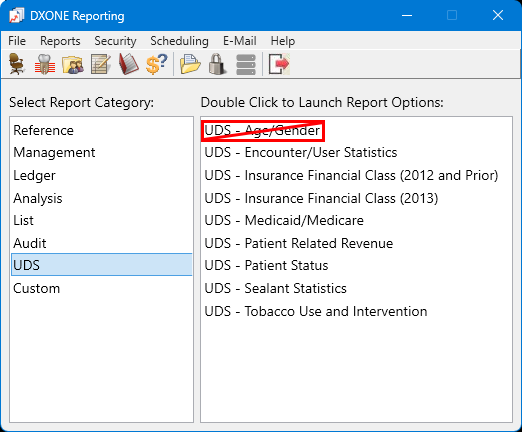
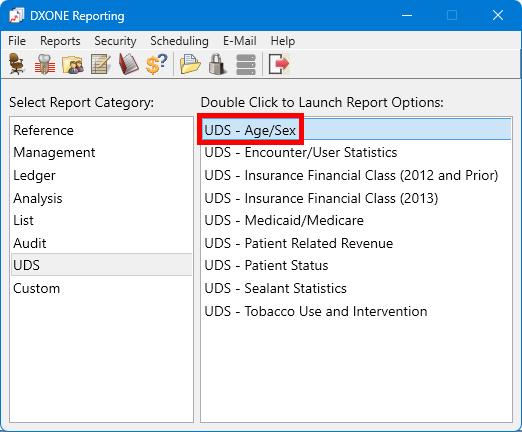
UDS - Age/Gender Report - (For military facilities only) In DXOne Reporting, the UDS - Age/Gender Report is no longer available.
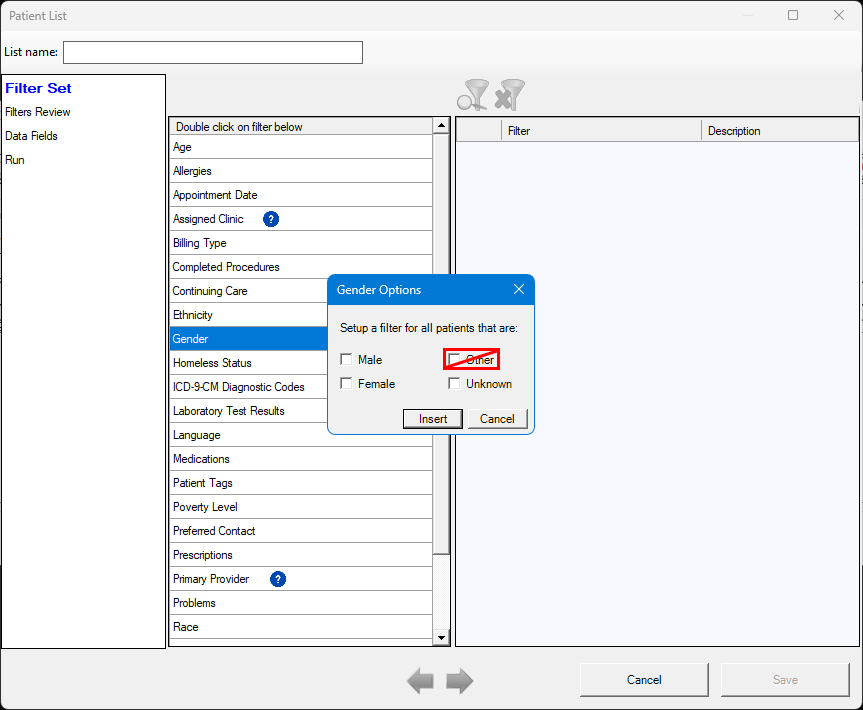
Patient List (Filtered) - (For military facilities only) In the Patient List, the Other option for the Gender filter is no longer available.
New "Hide DEI" Global Setting - (For IHS facilities only) There is a "Hide DEI" global setting that allows you to show or hide options pertaining to DEI terminology throughout Dentrix Enterprise. The setting is turned off by default. To hide DEI options, turn the setting on.
The following sections contain instructions about how to use the new features and enhancements of this release.
(For military facilities only)
In the Patient Information dialog box, the Gender Identity and Sexual Orientation lists are longer available. Also, the Other option is no longer available in the Sex list.
(For military facilities only)
In DXOne Reporting, the UDS - Patient Status Report is no longer available.
(For military facilities only)
In DXOne Reporting, the UDS - Age/Gender Report is no longer available.
(For military facilities only)
In the Patient List (in Office Manager, go to Analysis > Patient List), the Other option for the Gender filter is not available.
(For IHS facilities only)
There is a "Hide DEI" global setting that allows you to show or hide options pertaining to DEI terminology throughout Dentrix Enterprise. The setting is turned off by default. To hide DEI options, turn the setting on. With the setting on, the following changes are implemented:
In the Patient Information dialog box (double-click the Patient Information block in Family File), the Gender Identity list is not available. Also, the Other option is not available in the Sex list.
For the UDS - Patient Status Report (in DXOne Reporting), the Gender Identity filter is not available. Also, gender identity does not appear on the report.
In the Patient List (in Office Manager, go to Analysis > Patient List), the Other option for the Gender filter is not available.
For the UDS - Age/Gender Report (in DXOne Reporting):
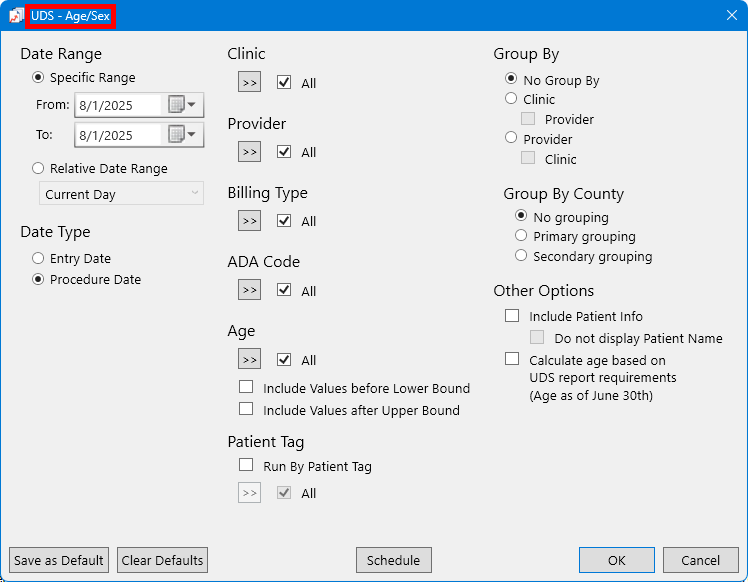
In the list of reports in the DXOne Reporting window, the report name is changed from UDS - Age/Gender to UDS - Age/Sex.
The dialog box for setting up the report filters is changed from UDS - Age/Gender to UDS - Age/Sex.
On the report, the following changes are implemented:
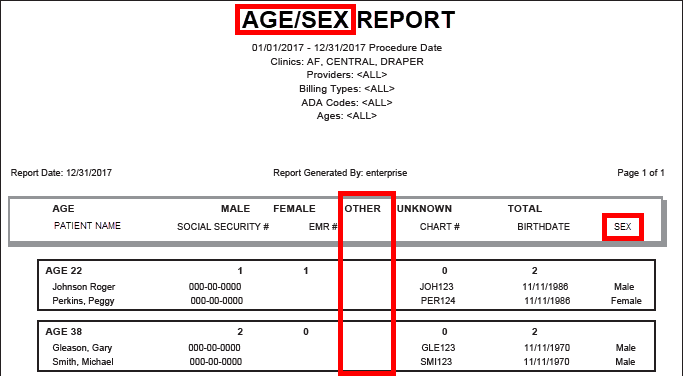
The title on the report is changed from UDS - Age/Gender to UDS - Age/Sex.
The Gender column is changed to the Sex column.
The Other column is always empty.
