
To enter a prescription that is not an over-the-counter medication or a controlled substance in Patient Prescription, do the following:
In
Family File or another patient-specific module, click the Prescriptions
button  .
.
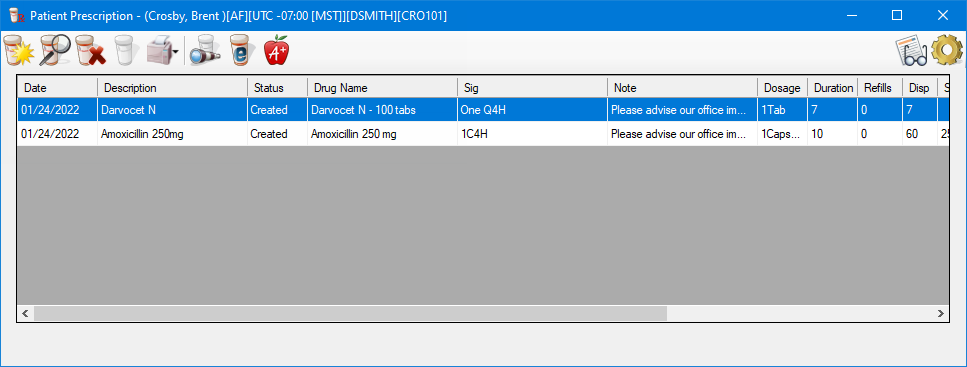
Click
the New Prescription button  .
.
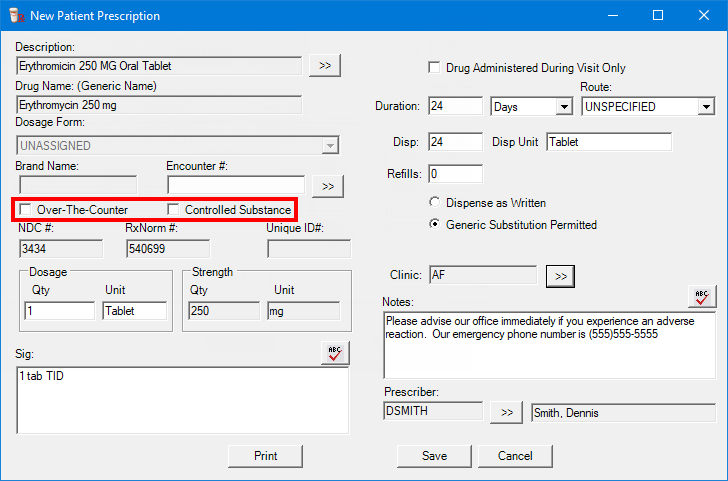
Set up the options, making sure that the Over-The_Counter and Controlled Substances check boxes are clear.
Click Print to print the prescription.
Click OK.