
You can use the Office Journal to remind you of activities that need to be completed in the future.
To set up a daily reminder
1. In the Office Manager, click Maintenance, point to Practice Setup, and then click Preferences.
The Preferences dialog box appears.
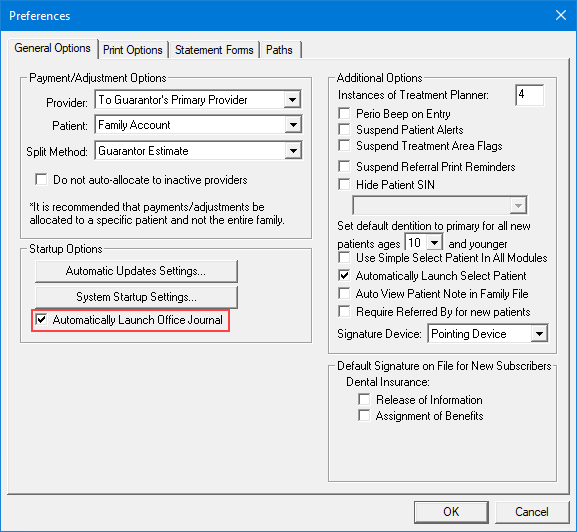
2. Click the General Options tab.
3. Under Startup Options, select Automatically Launch Office Journal and then click OK to exit and save your changes.
Note: The Office Journal will now open automatically each morning when you start Dentrix. Any entries for the current day will be selected.
4. To see the entries for the day, double-click the selected date.