

|

Refunding credit card payments
Using Dentrix Pay, you can return money to a patient's card using one of the following methods:
· Refund
· Void
Refunding a payment returns the money to the cardholder after the nightly batch has processed. You can only refund credit card payments after the merchant account batch closes at 10:00 PM local time to your practice.
Important: You must refund the full amount of the original payment with this method. If you split the original payment by provider or patient, the full amount is refunded, not the individual split payment. You do not need the patient's credit card to make a refund.
To refund a credit card payment
1. In the Ledger, double-click the credit card payment that you want to refund.
The View or Change Credit Card Payment dialog box appears.
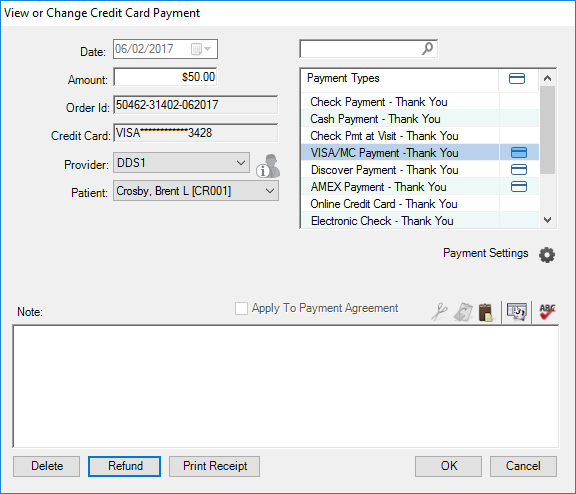
2. Click Refund.
The Refund Credit Card Payment dialog box appears.
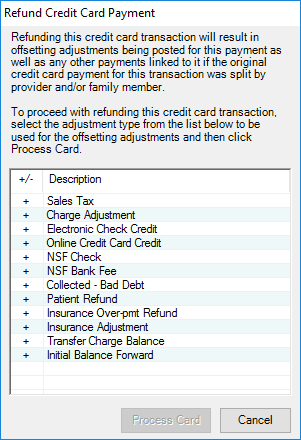
3. Select the adjustment type that you want to use to post the offsetting adjustments once the payment is refunded.
4. Click Process Card.
Note: After the transaction is approved, and if you split the original payment for the transaction by provider or family member, offsetting adjustments are posted for this payment and any others linked to it.