
If you have a number of pending insurance claims that must be closed manually each month because your patients are responsible for billing their insurance carriers, you can close those claims automatically. You are prompted as a reminder to close these types of claims.
Note: To learn more about setting the Assignment of Benefits options, click Entering a new insurance plan.
To set up closing claims without assignment of benefits
1. In the Ledger, click File, and then click Insurance Payment Setup.
The Insurance Payment Setup dialog box appears.
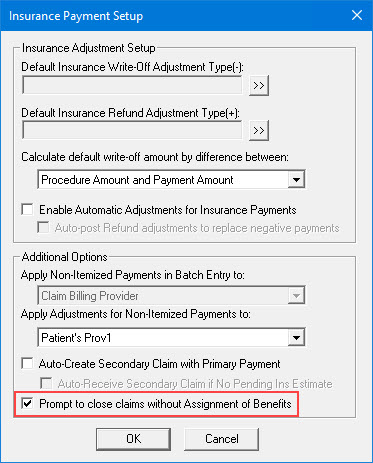
2. Under Additional Options, select Prompt to close claims without Assignment of Benefits.
3. Click OK.