
Typically, you will indicate when deductibles have been met when posting an insurance payment, and Dentrix will automatically track benefits used and deductibles met for patients. However, you might have patients who come to your practice mid-year. These patients might have met part or all of their deductibles for the year or used part or all of their maximum benefits.
To enter benefits used and deductibles met
1. With a patient selected in the Ledger, double-click a pending/sent claim in the Ledger transaction log.
2. Double-click the Subscriber Information block.
The Patient/Insurance Information dialog box appears.
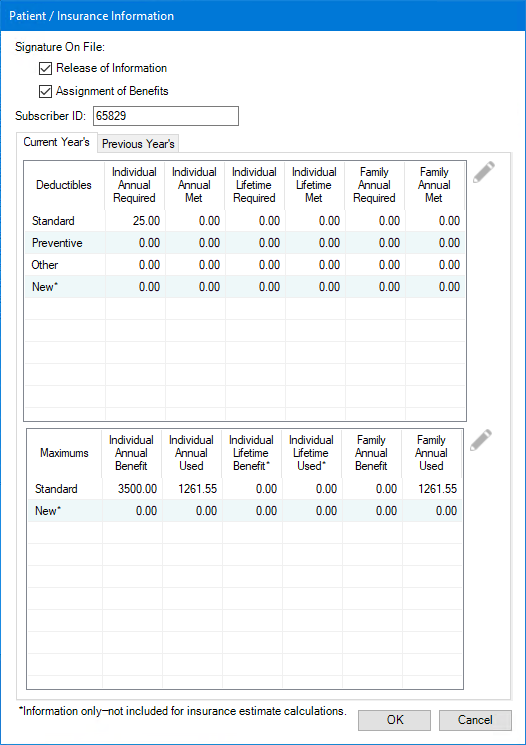
3. Type the deductibles the patient has met in the appropriate fields.
4. Type the benefits the patient has used in the Benefits Applied field.
5. Click OK.
6. To close the insurance claim, click File, and then click Exit.