
Once you have installed your GXPicture device, it is ready to use and test in Dentrix Imaging.
To test GxPicture
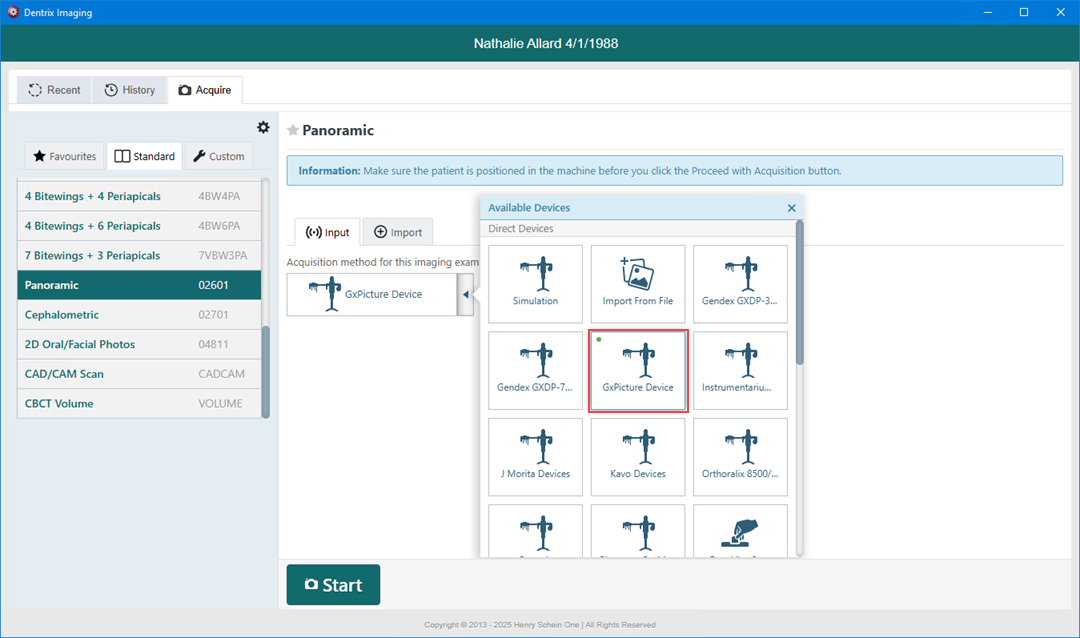
1. Open Dentrix Imaging, and then click the Acquire tab.
2. In the Standard list, click Panoramic.
3. In the Acquisition method for this imaging exam list, click GxPicture Device, and then click Start.
 r
r
4. Acquire an image using the GxPicture device.
Note: If an error appears, restart the computer to correct the issue.
5. Click Finish Acquisition.