Marking an ERA as Completed
If an ERA has been marked as Incomplete, you can mark that ERA as Completed.
To mark an ERA as Completed
-
If you are not already viewing the correct location, select it on the Location menu.
-
On the Home menu, under Insurance, select Bulk/ERA Insurance Payments.
The Bulk/ERA Insurance Payments page opens.

-
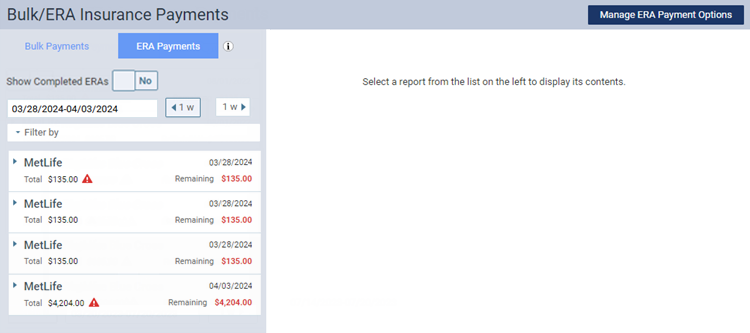
Select the ERA Payments tab on the left panel.
ERAs for claims that correspond to the current location appear.
-
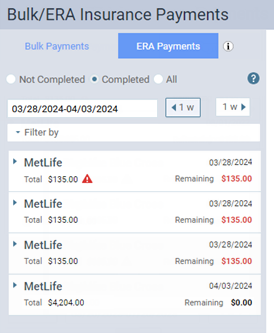
Select an incomplete ERA on the left panel (as indicated by the Remaining amount being $0.00).
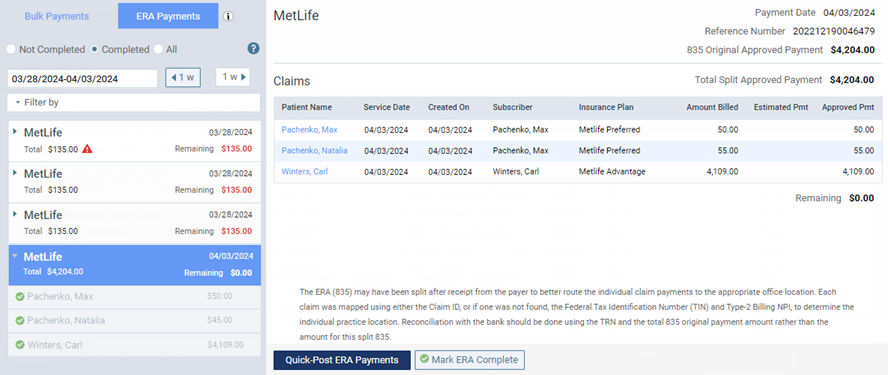
On the right, the ERA's payment date, reference number, payment amount, and claims appear.
-
Click (or tap) Mark ERA Complete.