Deleting coverage table templates
You can delete any of the coverage table templates (except the default templates, which are named "All Procedures") as needed. Deleting a coverage table template does not affect any insurance plans whose coverage tables were created or replaced with that template.
To delete a coverage table template
-
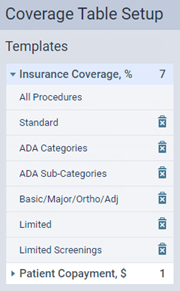
On the Settings menu, under Production, select Coverage Tables.
The Coverage Table Setup page opens.
-
Do one of the following:
-
Click (or tap) the Delete button
 of the coverage table template that you want to delete. Skip step 3.
 -
Select a coverage table template.
The options for editing the coverage table template appear.
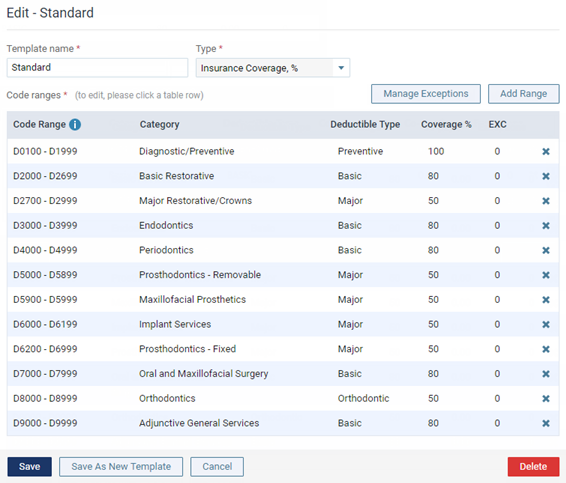
Insurance Coverage, %
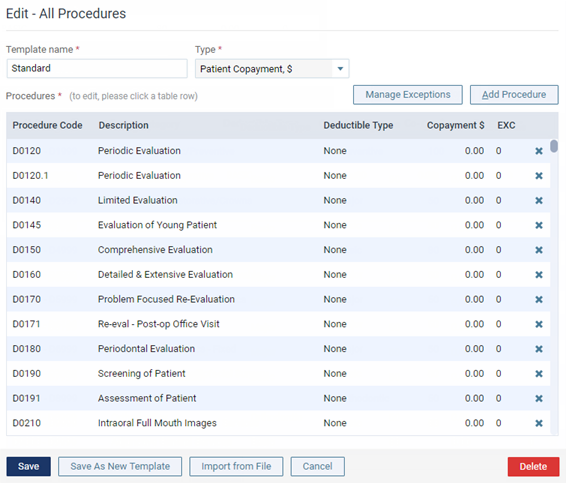
Patient Copayment, $
-
-
Click (or tap) Delete.
A confirmation message appears.
-
Click (or tap) Delete.