Customizing the patient follow-up list view
You can change the view of the patient follow-up list to have it display appointments for all or specific providers.
Note: View settings are saved until you log off.
To customize the patient follow-up list
-
On the Schedule menu, select Patient Follow-Up.
The Patient Follow-Up page opens.
-
On the View menu, select or clear the checkbox of any providers to view or hide the corresponding appointments.
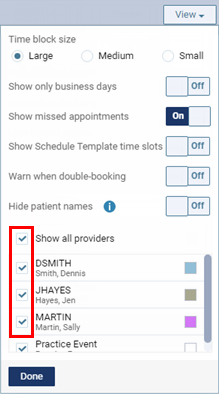
-
Click (or tap) Done.