
You can enroll your uninsured or under insured patients in a dental savings plan helping them access care at reduced rates in two ways:
The :DentalPlans.com landing page
A QR code on treatment case printouts for uninsured patients. When patients scan the QR code, they are taken directly to dental savings plans on the DentalPlans website that your office already accepts.
Increase treatment acceptance for uninsured patients from 40 to 80%
Simplify your referral process with an automated solution
Improve patient outcomes by reducing financial barriers to care
Increase revenue by converting uninsured patients at the point of care, without adding operational burdens to your practice
To enroll a patient in a dental savings plan
1. From the landing page, select the provider from the list.
2. Select the plan that best meets your patient's needs (one of your office's preferred plans).
Notes:
Patients can join individual or family plans.
You can print a plan brochure for patients to learn more and join later.
You can send a plan brochure through an email message.
You select up to 5 plans as your practice's preferred plans.
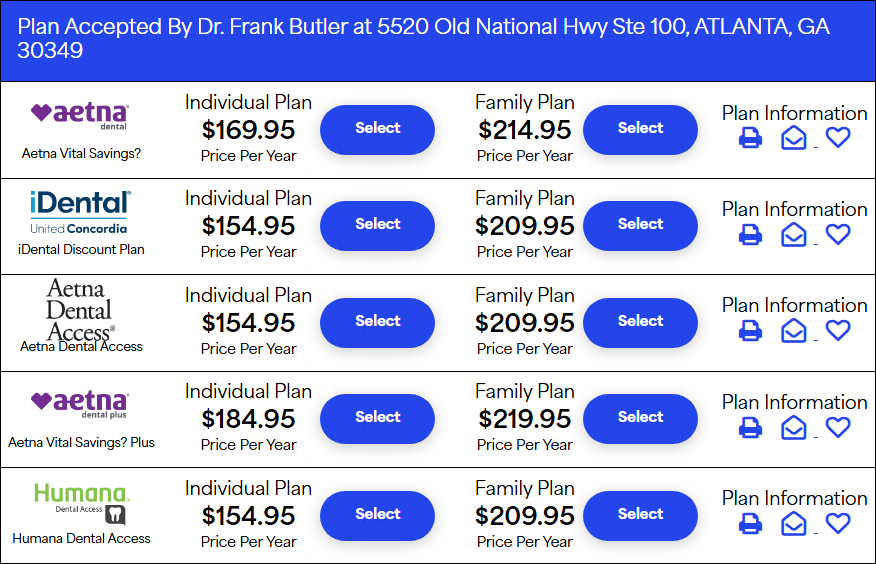
3. Enter member information, including the patient's name, address, date of birth, email address, and so on.
4. To complete the enrollment process, enter the patient's credit card information.
Note: After the enrollment process is complete, members will receive information about their plan through an email message that includes the following:
Order confirmation
Password reset for the online Member's Area
Welcome letter
Membership card