
QuickBill for Dentrix, by Henry Schein One, can help cut down on the cost and hassle of your monthly billing. Using QuickBill, you can create bills as you have always done with Dentrix. However, with QuickBill, instead of printing, folding, licking, and stamping hundreds of bills, you can deliver billing statements in one of the following ways:
By transmitting your bills to Henry Schein One where they will be printed, stamped, and mailed for you
By email using QuickBill Email
By mail using QuickBill Mail
By text using QuickBill Text
By using a combination of mail, email, and text
To remove a QuickBill account
1. In the Office Manager, click Maintenance, point to Practice Setup, and then click Electronic Billing Setup.
The QuickBill Settings dialog box appears.
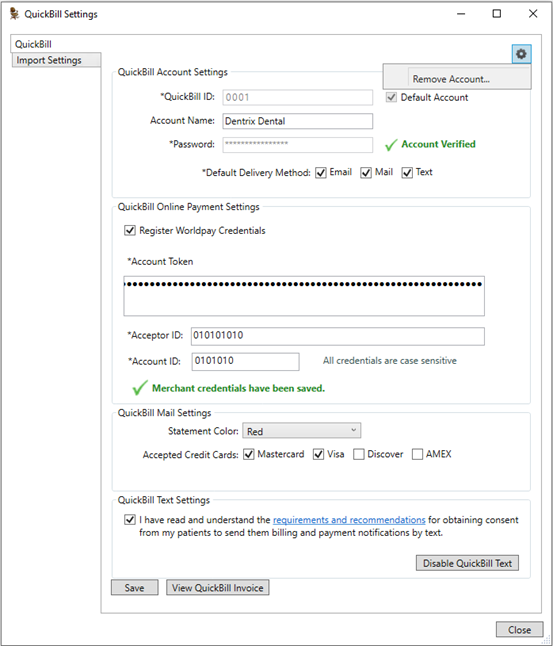
2. Click the Manage icon in the top-right corner, and then click Remove Account.
3. To confirm the removal of the account, click Yes.
The QuickBill account is removed, and all settings in the QuickBill Settings dialog box are cleared.