
You can change the default delivery method (printed mail, email, and/or text) for each guarantor or family.
To change the default delivery method
1. Open the Family File, and select the desired guarantor’s account.
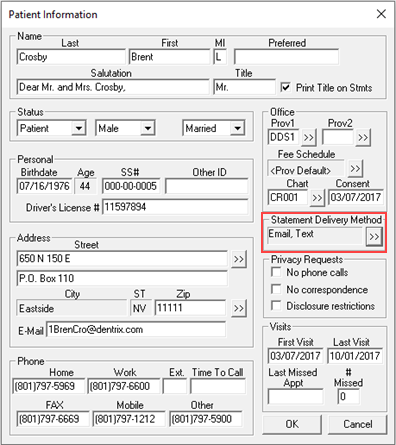
2. Open the Patient Information dialog box.
The Patient Information dialog box appears.
3. Under Statement Delivery Method, click >>.
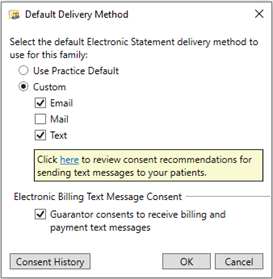
4. From the Default Delivery Method dialog box, select the appropriate delivery method (Mail, Email, and/or Text) for the guarantor/family.
a. To enable the sending of billing notifications to the guarantor/family by text, select Guarantor consents to receive billing and payment text messages after you have obtained proper consent.
5. Click OK.
The selected delivery method is used in place of the practice default delivery method for the guarantor/family.