
You have the option to include Yes/No responses to medical conditions rather than check boxes in a health history form. You can also add a text box in which patients can list their medications.
Note: Health history Yes/No response types require patients to answer.
To create a health history form with yes or no responses
1. In the Questionnaires module, click Edit, and then click Questionnaire Setup.
The Questionnaire Setup dialog box appears.

2. Click New Form.
The New Questionnaire Form Options dialog box appears.
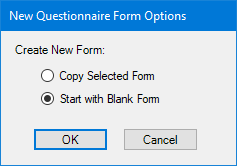
3. Select Start with Blank Form, and then click OK.
The Questionnaire Form Setup dialog box appears.
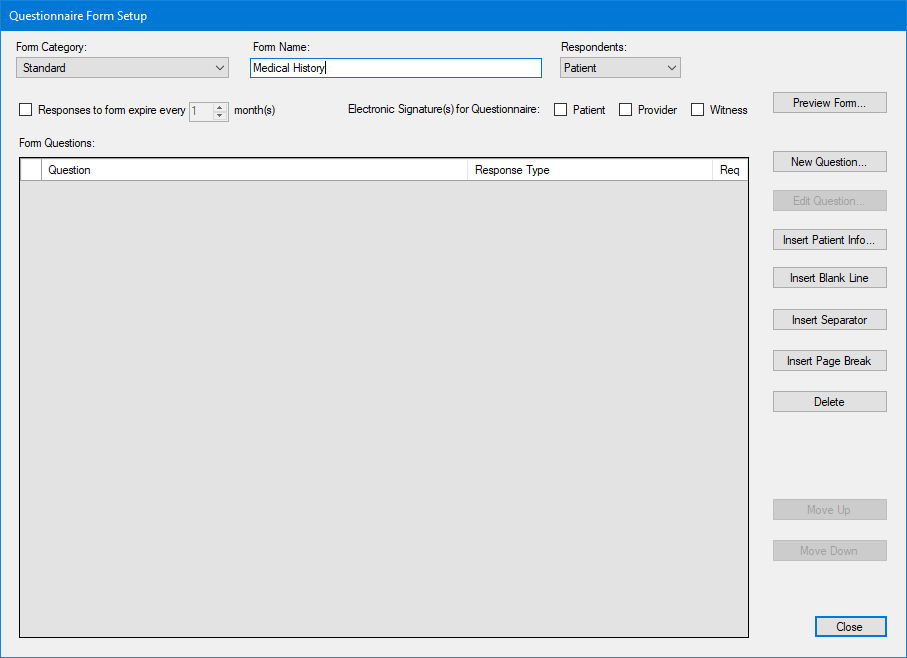
4. Name the form, and then click Insert Patient Info.
The Questionnaire Patient Info dialog box appears.
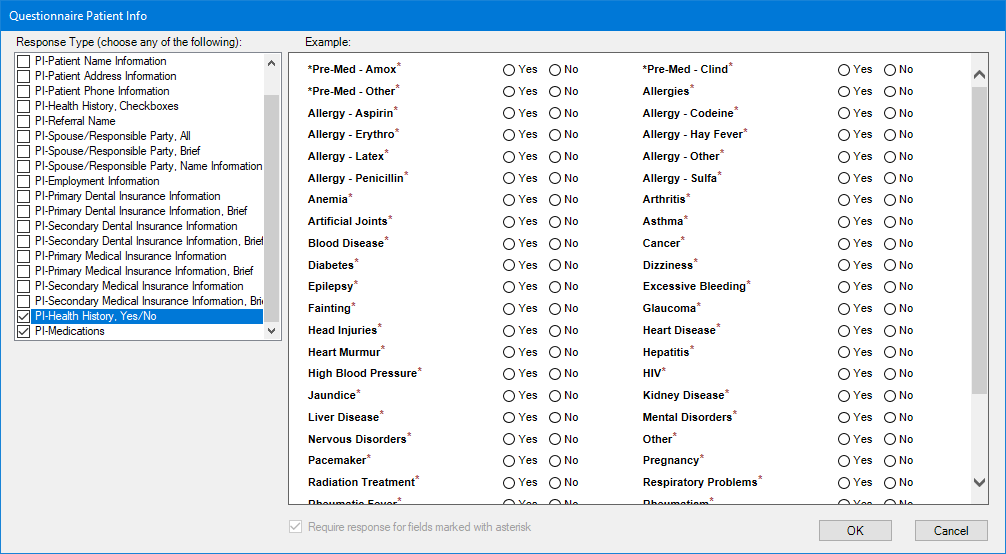
5. In the Response Type list, select the response types that you want to include in your form:
· PI-Patient Demographics, Brief – To include a patient's name, address, phone, and other personal information.
· PI-Health History, Yes/No – To include Yes/No responses to medical history questions.
· PI-Medications – To include a text box in which patients can list their medications.
6. Click OK.