
You can copy the text of your clinical notes to the Clipboard and paste it into another document, such as a letter or an insurance claim.
To copy a clinical note to another program
1. In the Perio Chart, click View, and then click Clinical Notes Panel.
The Clinical Notes panel appears.
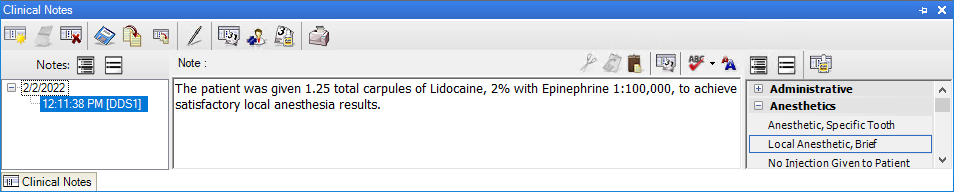
2. Select the note that you want to copy to the Clipboard.
3. In the Clinical Notes toolbar, do one of the following:
To copy a single clinical note, click the Copy Clinical Note button.
To copy all the clinical notes for the patient at once, click the Copy All Clinical Notes button.
4. Paste the note into the program or document of your choice.