
You can digitally "sign" off on a clinical note written for a patient. Signing a clinical note digitally locks the note, meaning that you cannot change it; you can only add an addendum to it. If you enabled passwords, you must have rights to "Clinical Notes - Add Signature" to add a signature.
To add a digital signature to a clinical note
1. In the Perio Chart, click View, and then click Clinical Notes Panel.
The Clinical Notes panel appears.
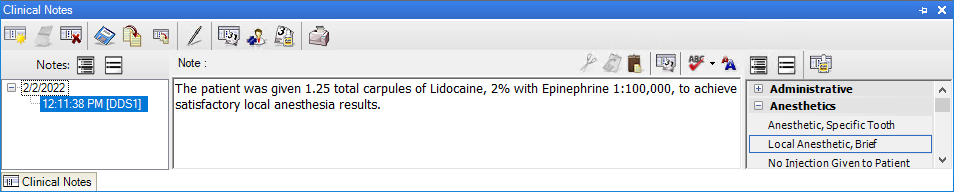
2. Add or select the note that you want to sign.
3. Click the Sign Clinical Note toolbar button.
The Sign Clinical Note dialog box appears.
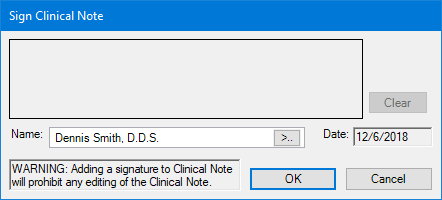
4. If necessary, select the appropriate provider's name from the Name list.
5. Using a mouse, light pen, or other pointing device, sign the note, and then click OK.