
To use Dentrix Forms, you must first set up your practice credentials to authenticate your practice and confirm your identity.
To set up practice authentication
1. In
a Dentrix module, such as the Appointment Book, click the Forms toolbar
button  .
.
If you haven't set up your practice credentials, the Practice Auth Setup dialog box appears.
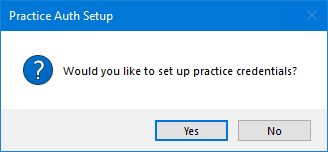
2. Click Yes.
The Practice Authentication dialog box appears.
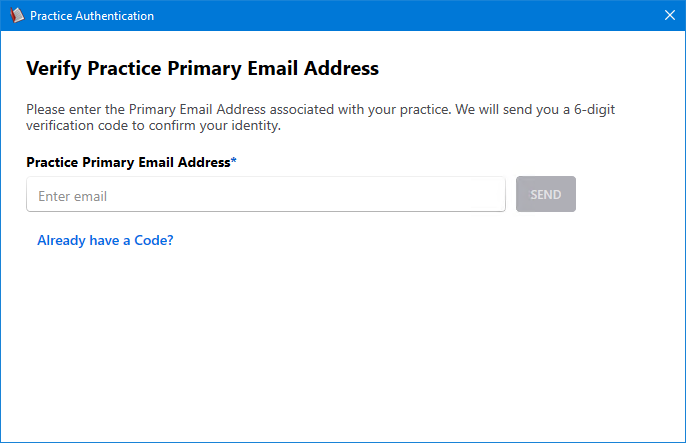
3. Type your primary email address, and then click Send.
An email message containing a six-digit code is sent to you primary practice email account, and the Practice Authentication dialog box reappears.
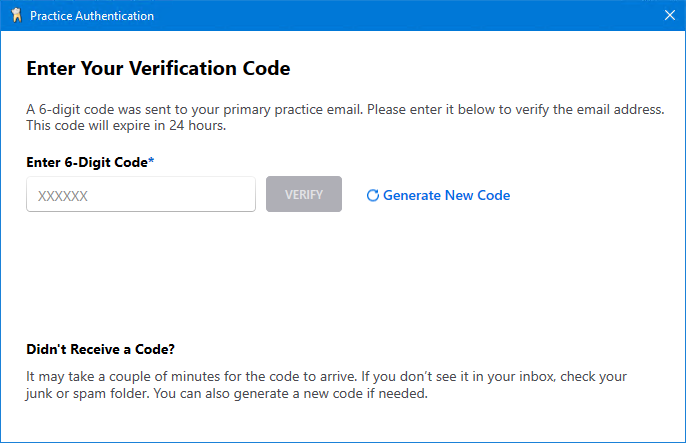
4. Type the six-digit code, and then click Verify.