
You can suspend all Patient Alerts on a specific computer. When you select this option, all patient alerts are suspended for all patients.
To suspend patient alerts
1. In the Maintenance menu in the Office Manager, point to Practice Setup, and then click Preferences.
The Preferences dialog box appears.
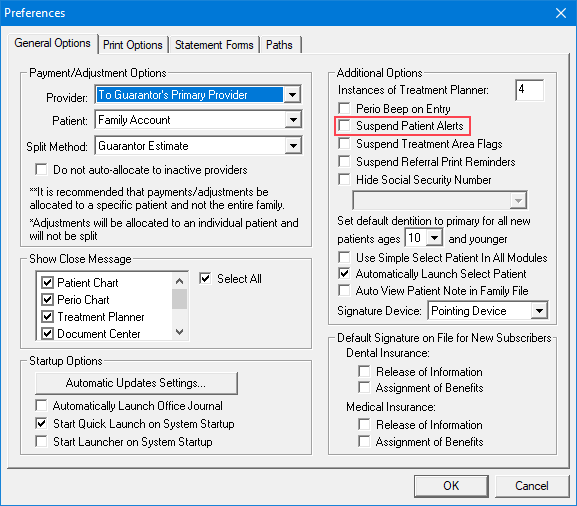
2. Click the General Options tab.
3. Under Additional Options, select Suspend Patient Alerts.
4. To no longer display patient alerts on this computer, click OK.