
Dentrix maintains a database of referrals as you enter them, so you only need to enter the referral contact information once.
To add a referral
1. In the Office Manager, click Maintenance, point to Reference, and then click Referral Maintenance.
The Referral Maintenance dialog box appears.
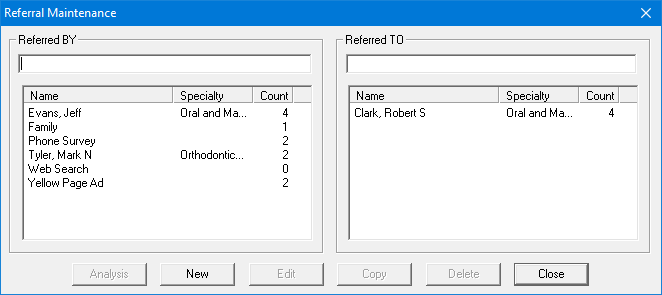
2. Click New.
The Referral Information dialog box appears.
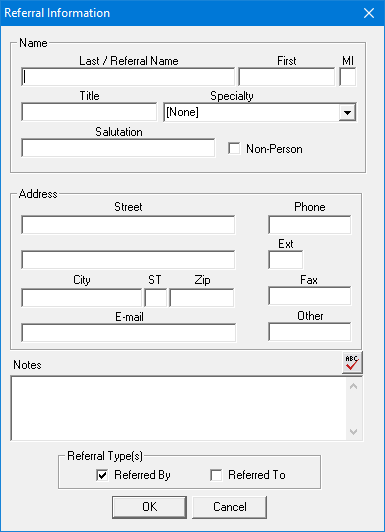
3. Type the referral's name, address, and phone number.
4. Under Referral Type(s), select Referred By or Referred To.
5. Click OK.
Dentrix adds the referral to the appropriate list in the Referral Maintenance dialog box.