
In Dentrix, you can maintain a database of employers so you only need to enter the employer information once. After you have entered an employer's information, you can then select the employer for a patient in the Family File.
To add an employer
1. In the Office Manager, click Maintenance, point to Reference, and then click Employer Maintenance.
The Employer Maintenance dialog box appears.
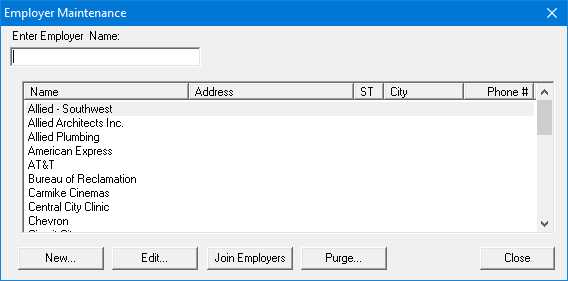
2. Click New to create a new employer record.
The Employer Information dialog box appears.
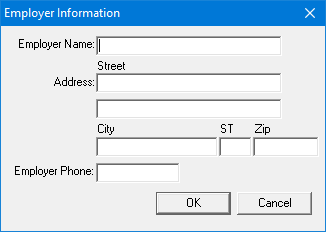
3. Type the employer’s name, address, and phone number in the appropriate fields, and click OK.
The employer is added to the database.