
Occasionally, you may need to force users to change their passwords.
To expire all user passwords
1. In the Maintenance menu in the Office Manager, point to Practice Setup > Passwords, and then click Practice Passwords Setup.
The Practice Passwords Setup dialog box appears.
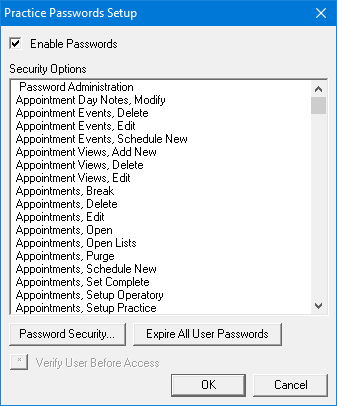
2. Click Expire All User Passwords.
A following warning appears.
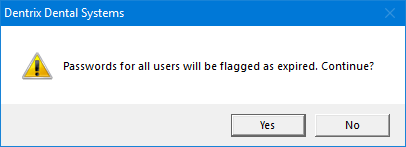
3. Click Yes.
Every user's password is flagged as expired and must be changed at the next login attempt.