
To simplify finding and selecting dental diagnostic codes, you may want to group them into categories; however, you are limited to 20 categories. By default, the following six dental diagnostic code categories are installed:
1: Disease/Diagnosis
2: Topography
3: Morphology
4: Function
5: Social Context
6: Physical Agents
To customize a dental diagnostic code category
1. In the Office Manager, click Maintenance, point to Practice Setup, and then click Definitions.
The Practice Definitions dialog box appears.
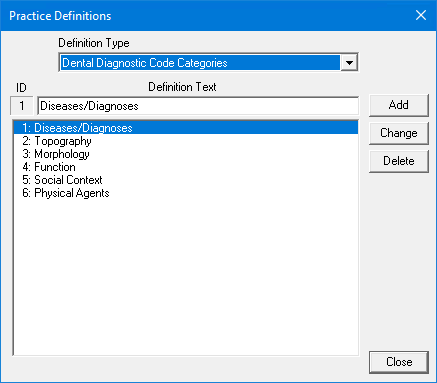
2. From the Definition Type list, select Dental Diagnostic Code Categories.
The dental diagnostic code categories list appears.
3. Do one of the following:
To add a dental diagnostic code category, type the name of the category under Definition Text and click Add.
To change a dental diagnostic code category, select the category that you want to change, type a new description, and then click Change. To learn more, click Changing a practice definition.
To delete a dental diagnostic category, select it, and then click Delete. To learn more, click Deleting a practice definition.