
You can close a month from the Reports and Tasks Scheduler dialog box.
To close a month using the Reports and Tasks Scheduler
1. In the Ledger, click Task Scheduler.
The Reports and Tasks Scheduler dialog box appears.

2. Click Close Month Now.
The Month End dialog box appears.
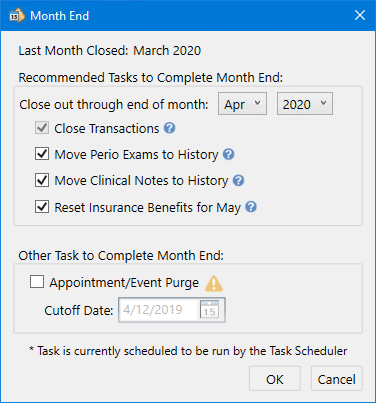
3. Select the tasks that you want to complete, and then click OK.