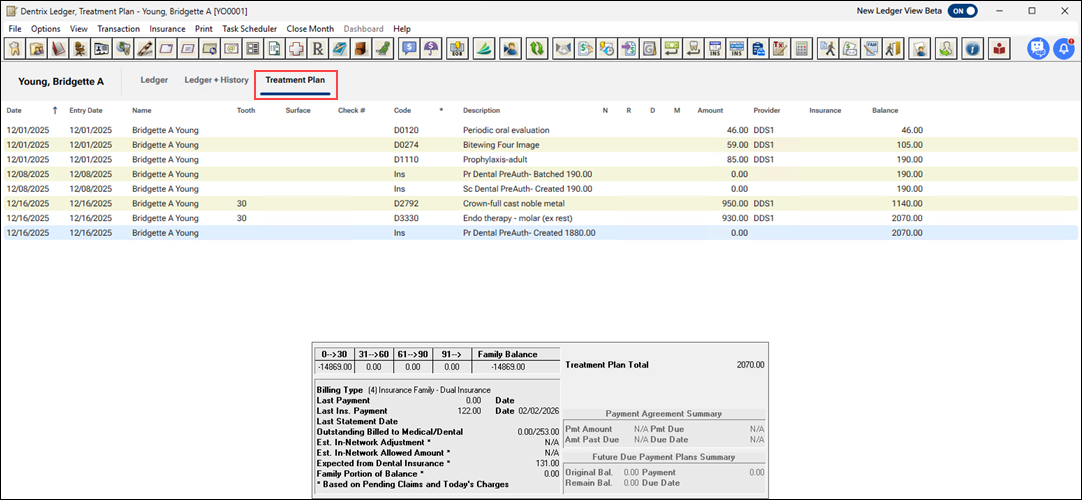
At Henry Schein One, we're redesigning the Ledger window to make it more intuitive and easier to use. You can preview the proposed changes.
To preview the new Ledger
1. Open the Ledger, and select a patient.
The legacy Ledger window appears.
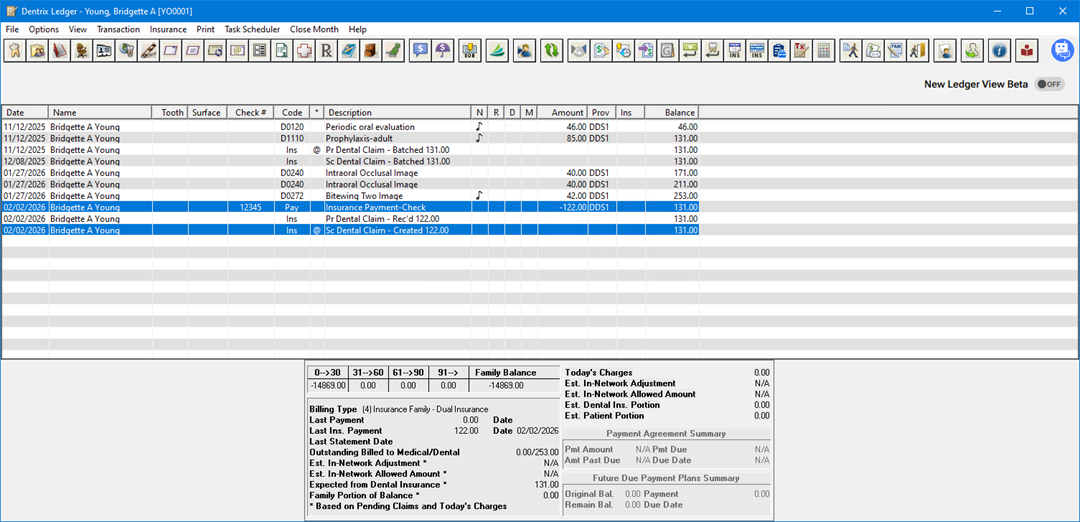
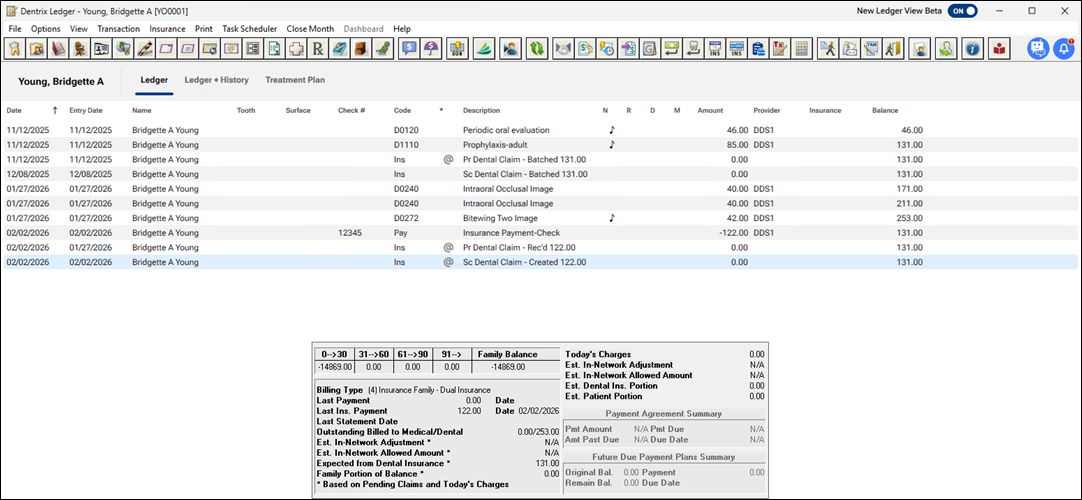
2. To preview the new Ledger, click the New Ledger View Beta toggle.
The new Ledger window appears.
Note: To return to the legacy Ledger window, click the New Ledger View Beta toggle.
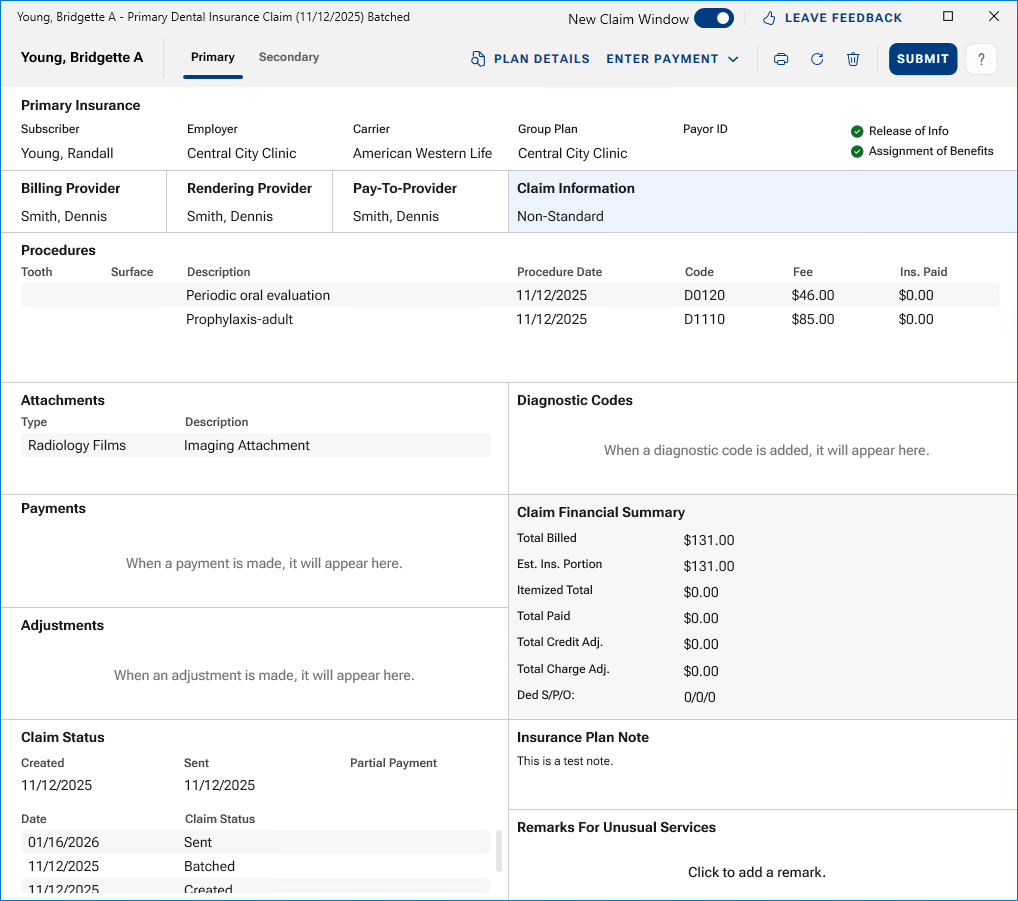
3. To view a claim, double-click it.
If you have switched to the new claim window, the redesigned Insurance Claim window appears.
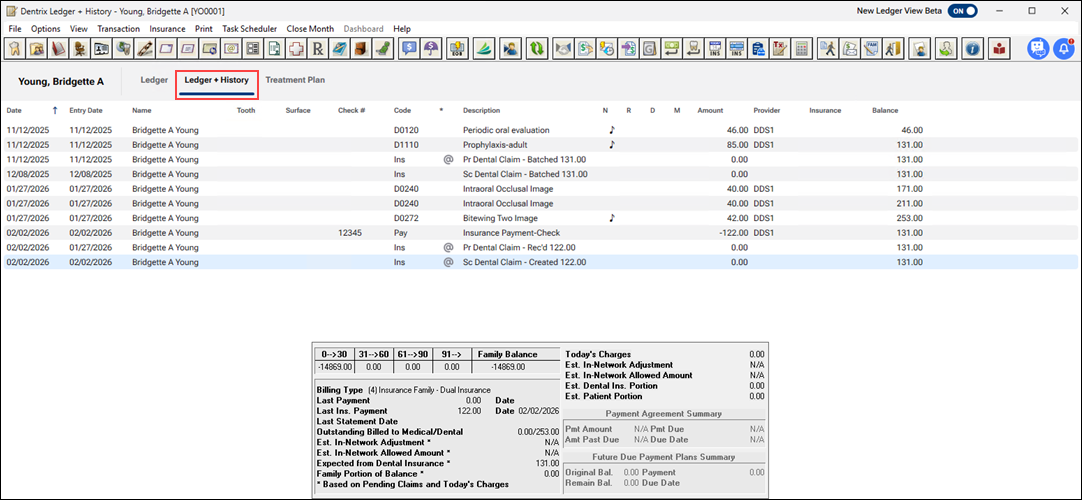
4. To view all the transactions for the selected patient, click the Ledger + History tab.
5. To view the selected patient's treatment plans, click the Treatment Plan tab.