
The Family File's coverage table is a powerful tool that you can use to create treatment plan estimates that accurately reflect the actual benefits paid by an insurance carrier.
Most insurance companies provide the patient with a schedule of benefits declaring the maximum annual benefits for the individual and the entire family. The schedule of benefits also includes the deductible amounts, plan maximums, and the percentage of the usual and customary fee that the insurance company will pay. You can add this information to the coverage table.
Note: Updating or changing any benefit and coverage information will affect all patients who subscribe to the selected group plan.
To create an out-of-network coverage table from a standard coverage table
1. With a patient selected in the Family File, double-click the patient's Insurance Information block.
The Insurance Information dialog box appears.
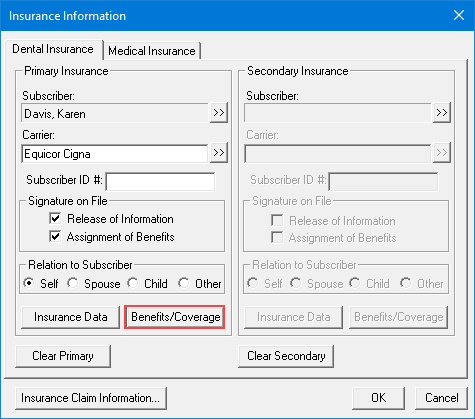
2. Click Benefits/Coverage.
The Dental Insurance Benefits and Coverage dialog box appears.

3. Click the Out-Of-Network Coverage Table tab.
The Out-Of-Network Coverage Table for the selected patient appears.
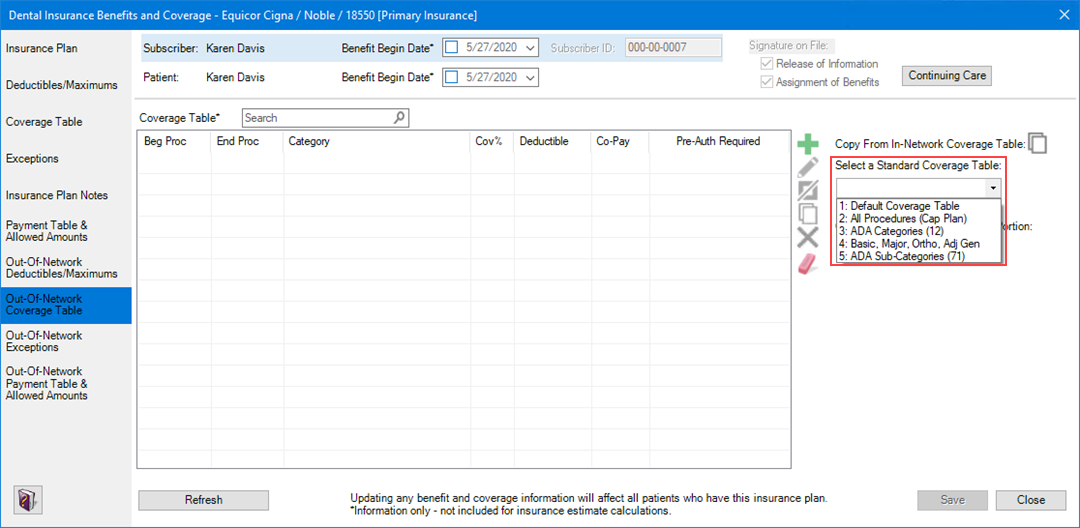
4. Under Select a Standard Coverage Table, click the Down arrow, and then select the appropriate coverage table from the list:
· Default Coverage Table
Note: When you add a new insurance plan, the Default Coverage Table is assigned to it automatically.
· All Procedures (Cap Plan) – To set up a capitation plan requiring specific co-pay amounts for each procedure, click Entering capitation type plans.
Note: Select a Co-Payment Calculations for Ins. Portion menu option only when one or more co-pay amounts are entered in the coverage table. Usually, the patient portion owed is estimated by subtracting the calculated insurance portion from the amount for the procedure. When you use co-payments, the patient portion is the amount shown in the Co-Pay column of the coverage table, or less, for procedures in the category range (even if the amount is $0.00). The Co-Payment Calculations for Ins. Portion menu option you select is used to calculate the insurance portion for all procedures. When you use co-payments, the total of the patient portion and the insurance portion may be less than the procedure amount, depending on the option you selected and the percentage entered in the Cov% column.
· Categories (12)
· Basic, Major, Ortho, Adj Gen
· Sub-Categories (71)
The Copy Insurance Coverage Table dialog box appears.
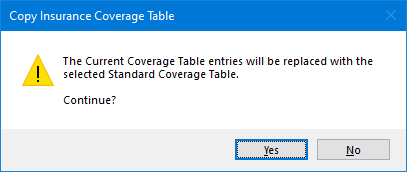
5. Click Yes, and then edit the coverage table categories as necessary.
6. Do one of the following:
· To undo your changes, click Undo.
· To save your changes, click Save.