
The Family File's coverage table is a powerful tool that you can use to create treatment plan estimates that accurately reflect the actual benefits paid by an insurance carrier.
Using the coverage table, you can group several procedures into categories and assign the percentage the insurance will pay. You may also limit a category to a single procedure. When you copy and then edit a coverage table, you must use the ADA procedure codes, but you may not overlap the beginning and ending procedure codes in any given range.
Notes:
· Updating any benefit and coverage information will affect anyone who subscribes to the selected insurance plan.
· Select a Co-Payment Calculations for Ins. Portion menu option only when one or more co-pay amounts are entered in the coverage table. Usually, the patient portion owed is estimated by subtracting the calculated insurance portion from the amount for the procedure. When you use co-payments, the patient portion is the amount shown in the Co-Pay column of the coverage table, or less, for procedures in the category range (even if the amount is $0.00). The Co-Payment Calculations for Ins. Portion menu option you select is used to calculate the insurance portion for all procedures. When you use co-payments, the total of the patient portion and the insurance portion may be less than the procedure amount, depending on the option you selected and the percentage entered in the Cov% column.
To copy an out-of-network coverage table category
1. With a patient selected in the Family File, double-click the patient's Insurance Information block.
The Insurance Information dialog box appears.
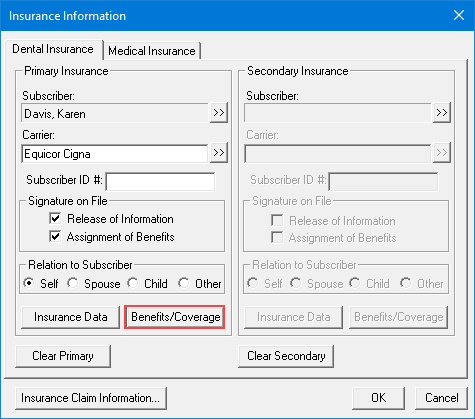
2. Click Benefits/Coverage.
The Dental Insurance Benefits and Coverage dialog box for the selected patient appears. The carrier and group plan names appear in the title bar.

3. Click the Out-Of-Network Coverage Table tab.
The Coverage Table appears.
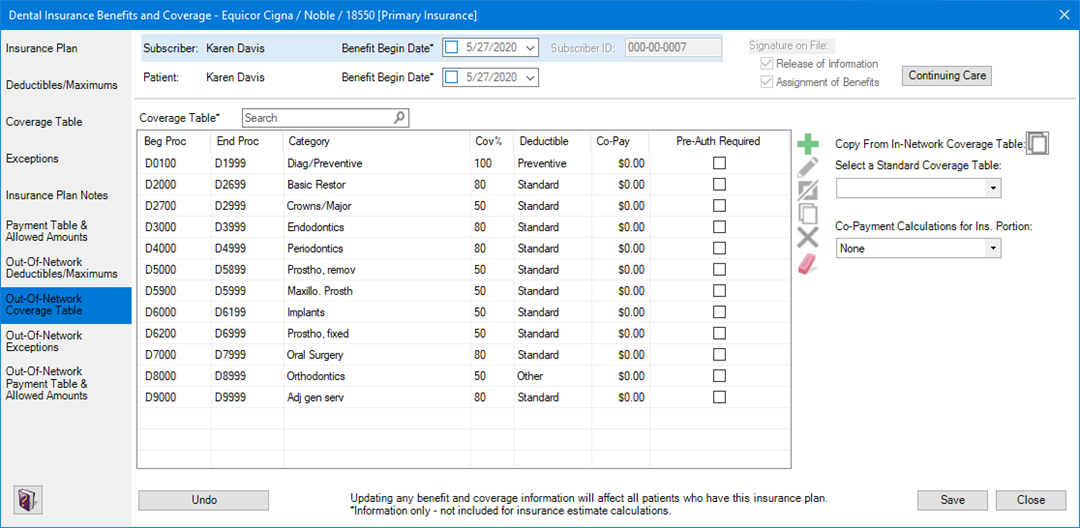
4. Select the coverage table category that you want to copy, and then click the Copy button.
A new line is added to the coverage table.
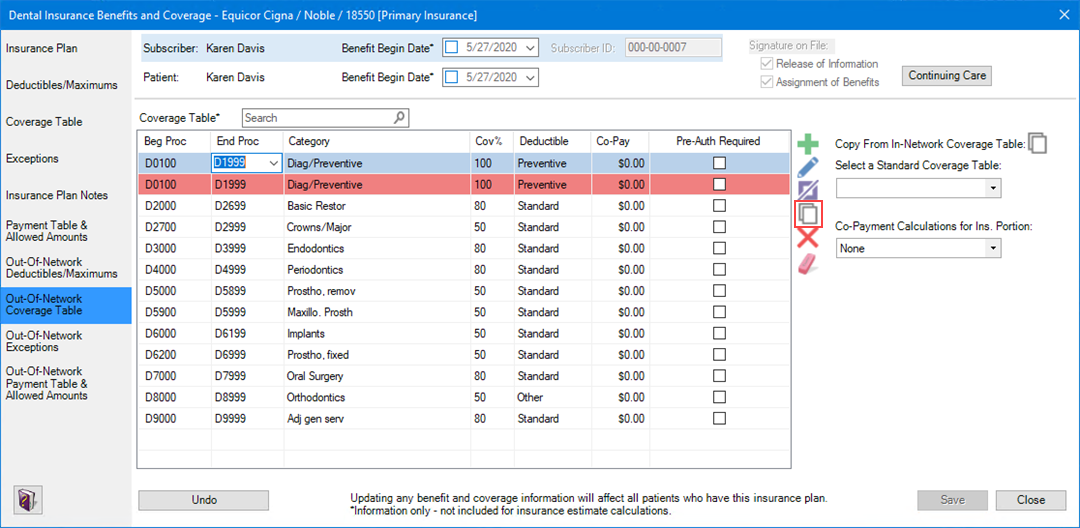
5. As necessary, edit the coverage table categories.
Note: You must use the ADA procedure codes, and you cannot overlap the beginning or ending procedure codes in any range. To assign a single code to a category, make the beginning and end codes the same.
6. Do one of the following:
· To save your changes, click Save.
· To undo your changes, click Undo.