
Occasionally, you may need to edit the information of a provider or practice that you refer your patients to.
To edit referred to information
1. With a patient selected in the Family File window, double-click the Referred To card.
The Patient Referrals dialog box appears.
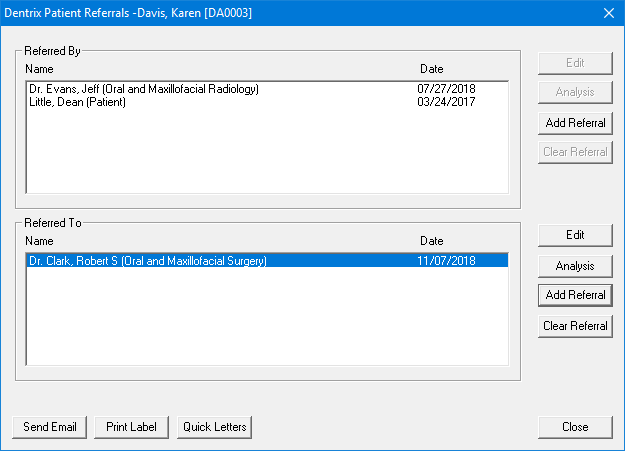
2. Click a provider or practice in the Referred To list, and then click Edit.
The [Patient Name] Referred To dialog box appears.
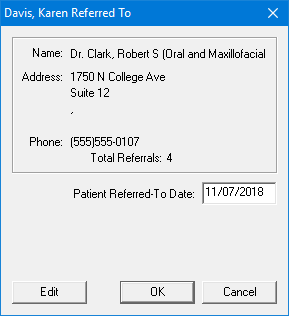
3. Click Edit.
The Referred To Information dialog box appears.
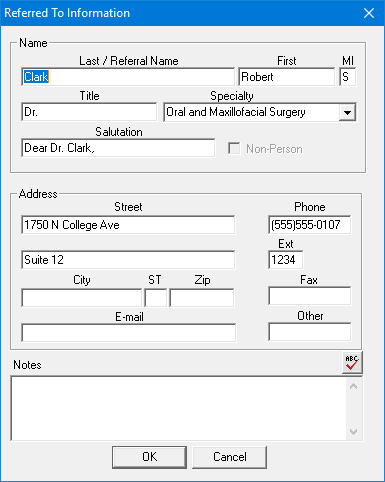
4. As necessary, change the provider's or the practice's information, and then click OK.
A confirmation message appears.
5. Click OK to confirm your changes.